
How to Build a Storytelling Process That Lasts
A storytelling process lasts when you record your storytelling process in one shared document, run every tool from an organization-owned login with at least two admins, and walk each new person through it. Then a staff change or volunteer exit doesn't stop stories coming in.
See how Story Engine keeps your story collection organized.
This guide will help you establish a simple storytelling process your whole team can follow. It covers documentation, account ownership, role rotation, and the repeatable workflows that keep stories coming in season after season.
Why do storytelling processes break down?
Most nonprofit storytelling processes live in one person's head. That person knows which clients to ask, which questions work, where the signed consent forms are saved, and how the organization's voice sounds. When they leave, all of that leaves with them.
Three patterns cause most breakdowns:
- Stories are collected informally, with no standard questions or consent process, so quality varies and nothing is reusable.
- Tools are set up under a personal email, so access disappears when that person goes.
- There is no handoff plan, so the next person starts from scratch.
Building for longevity means solving all three.
How to document your storytelling process
A single shared document with four sections is enough to get a new team member collecting stories within a day.
What to include:
- Who you collect stories from, and what you are listening for.
- How you reach out, including a sample message or link to your story request template.
- What consent steps must happen before the interview begins, and where signed forms are stored.
- Where finished stories and interview transcripts are saved, and who has access.
Keep the document somewhere every team member can find it without asking. Review it once a year, or whenever a role changes hands.
Consent language deserves its own section. Note who the consent contact is and how a storyteller can withdraw consent later. This protects both the storyteller and the organization.
How to build a storytelling process in Story Engine
Story Engine stores interviews, consent records and content under your organization's account, so the work stays with the team rather than with any one person. Here is how to set up a process that holds up when roles change.
1. Set up team roles
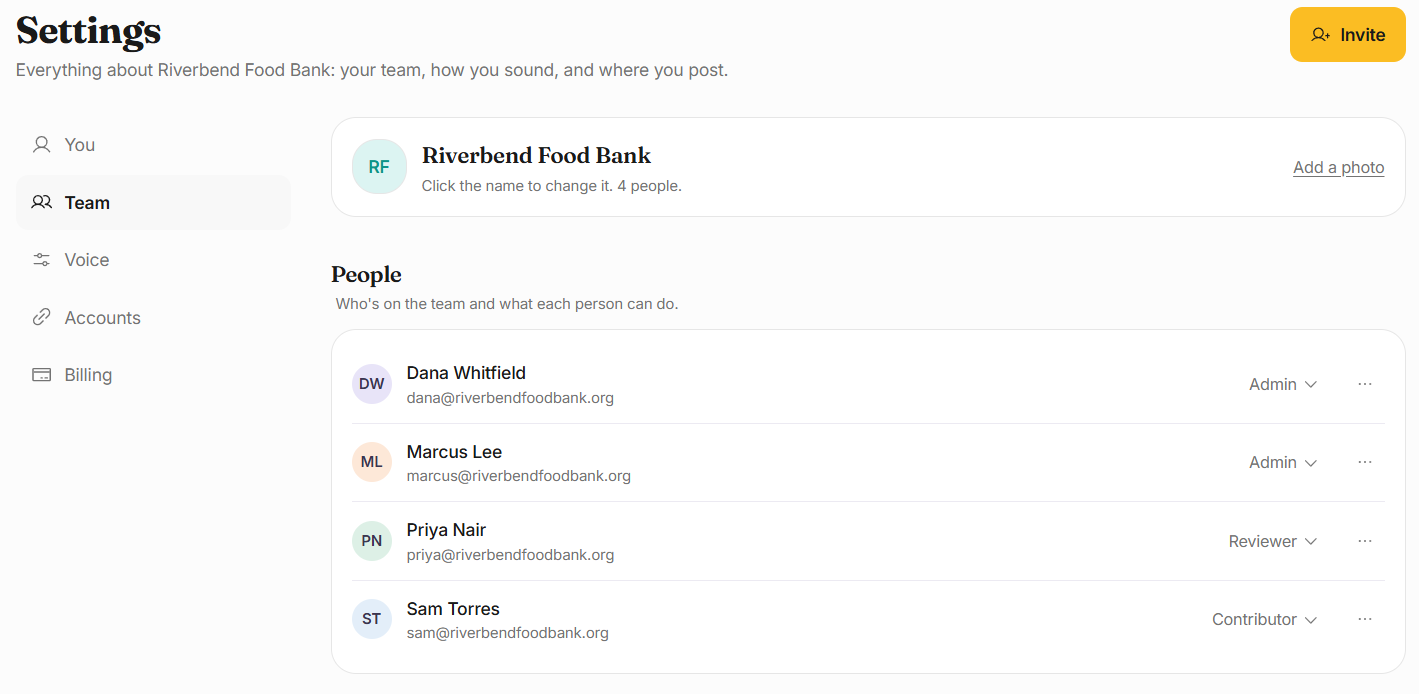
Go to Settings, then Team. Use Invite to add each person who will collect or create stories.
Assign the right role: Admin for whoever manages the account, Reviewer for most people, who write with Ellie, run interviews, post and check pieces, and Contributor for people who write with Ellie but ask an Admin or Reviewer to post. Ideally, at least two people will be Admin so access is never tied to one person.
2. Use organization-owned login details
Make sure your Story Engine account is registered to an email address your organization controls. That way, if the current admin leaves, another admin can manage access through Team without needing the departing person's login.
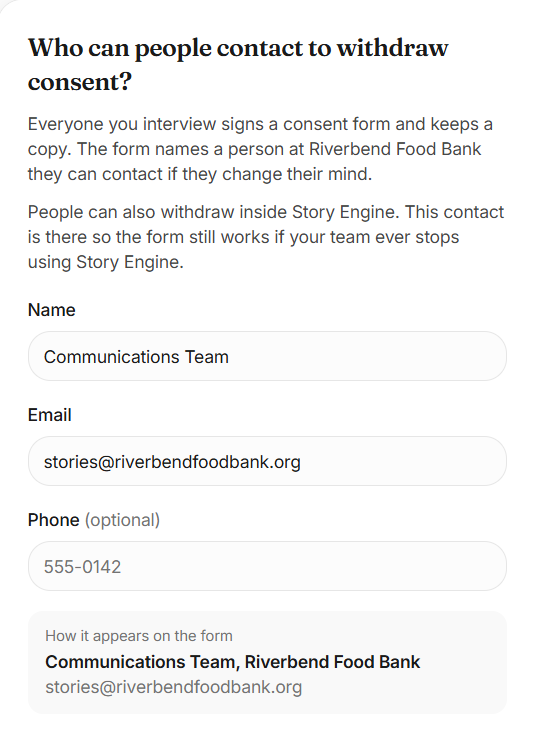
Consent contact details live in Settings › Team under Consent and checks, and should name a role or a shared inbox rather than a personal name where possible.
3. Set up interviews with shared questions
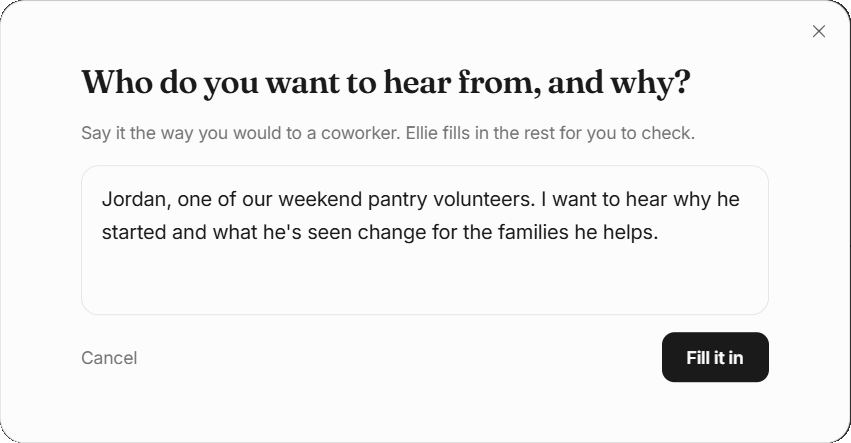
Go to Interviews and select New interview. Choose From one person, describe who you want to hear from and why, and let your AI assistant, Ellie, draft the questions. Review and edit them so they match your organization's voice. You can always duplicate any interview, whether drafted or sent, for future collections.
Always check the Sensitive topic switch before sending if necessary to ensure the 988 Lifeline and the Crisis Text Line are plainly visible before and during the interview, and confirm the consent contact is current. Learn more about how to collect and share stories ethically.
4. Use Moments links for open collection
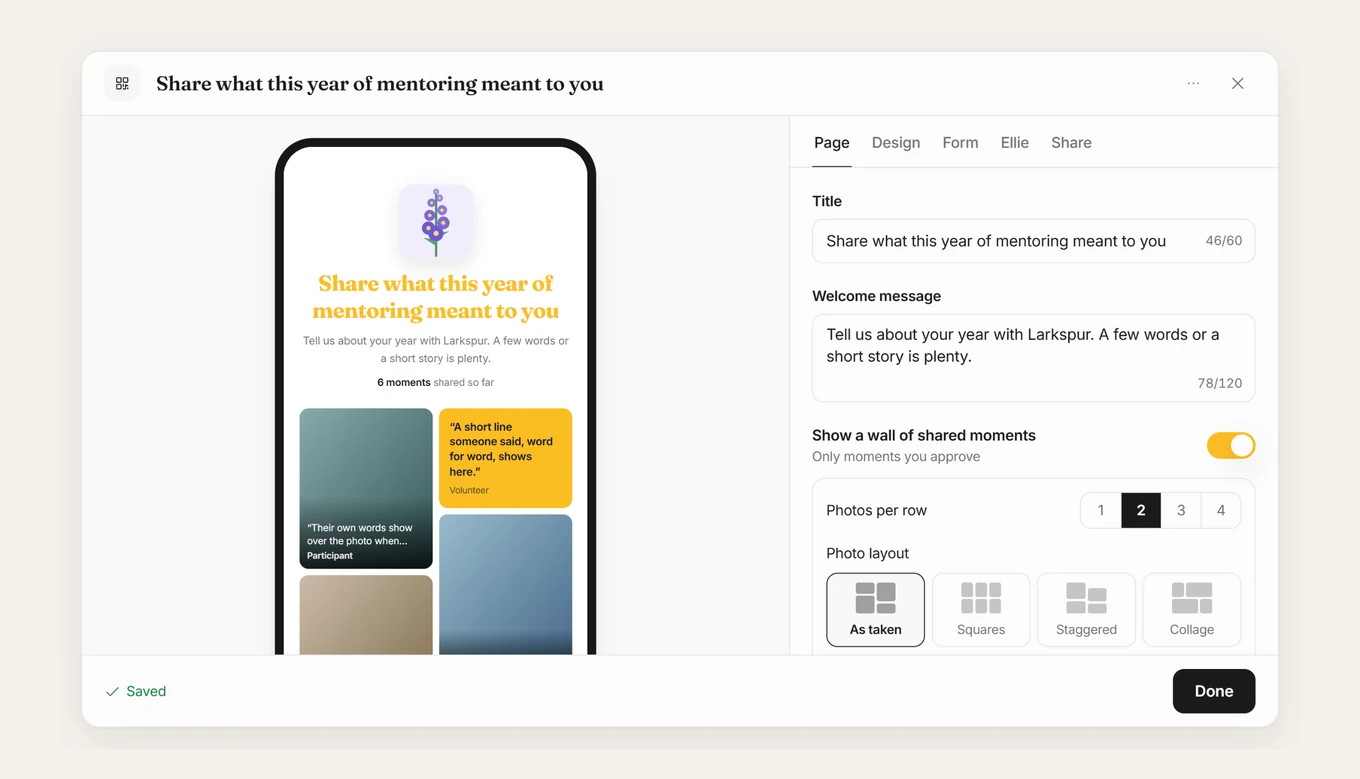
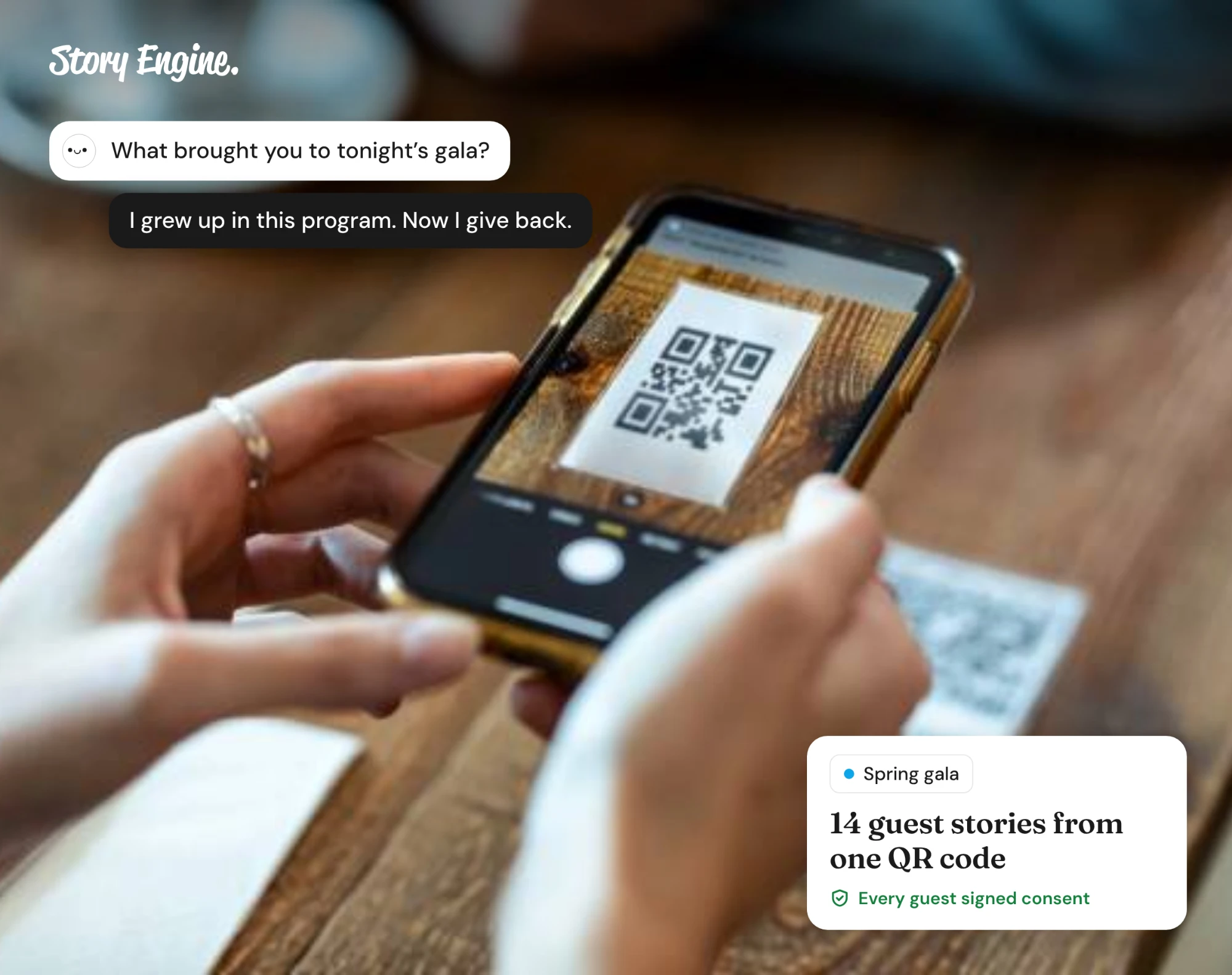
Go to Moments in the left menu and select + New link to create a shareable link or QR code that anyone can use to share a moment with your team.
Each person who submits a story signs a short consent form before sharing anything, and nothing appears on the wall until your team approves it in Submissions. These links can be attached to events and reused year after year, so collection continues even when the team changes.
5. Document where content lives
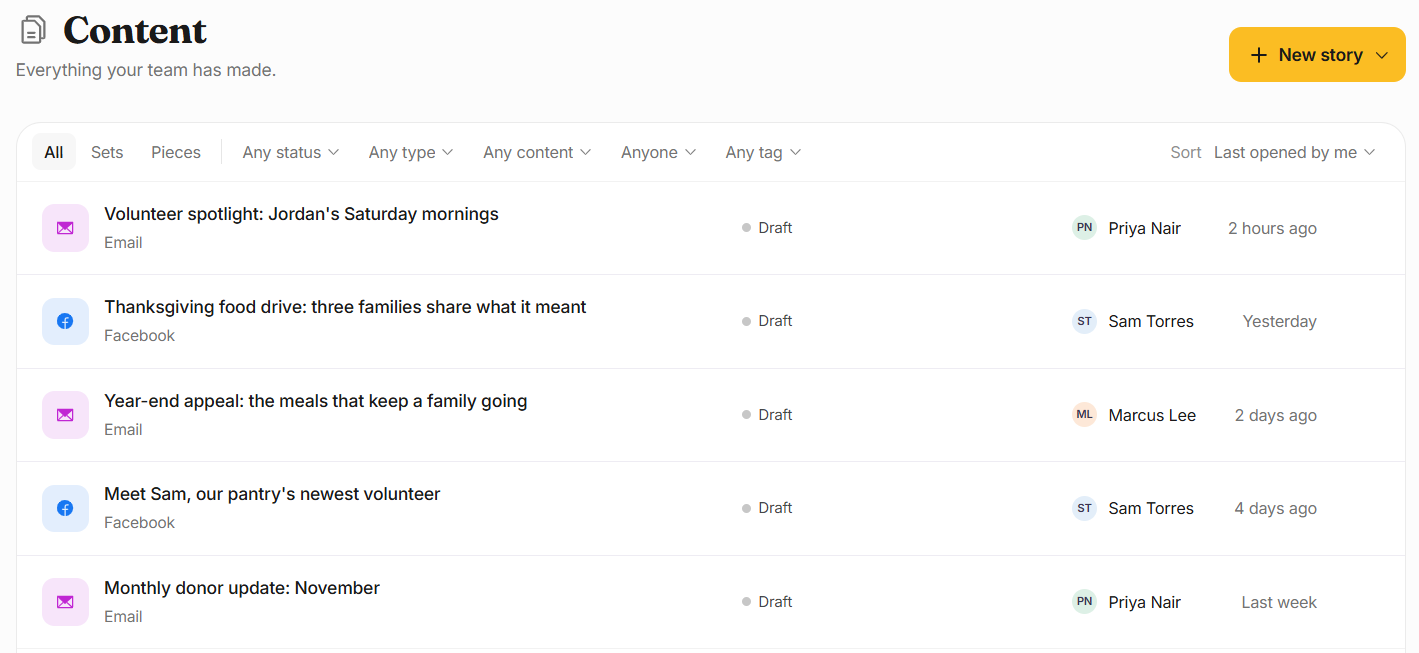
Every finished piece lives in Content, where the whole team can search and find it. Add a short note to your process document explaining this, so new team members know where to look. When someone leaves, their interviews and content stay in the account: nothing is lost because it was never tied to them personally.
How to rotate roles without losing momentum
Role rotation spreads the skill across the team and reduces the risk of one person becoming a single point of failure. The key is making each handoff a formal step, not an afterthought.
- Walk the incoming person through the process document together, not just hand it over.
- Have them shadow one collection or interview before doing one alone.
- Transfer any tool access and update the consent contact if needed.
If your organization uses volunteers for collection, build the same checklist into your volunteer onboarding. That consistency also protects storytellers: they get the same care and the same consent process no matter who they talk to.
Frequently asked questions
What happens to our stories and consent records if our main contact leaves?
In Story Engine, everything stays in the organization's account. Interviews, transcripts, consent forms and content all live there, not with any individual user. As long as at least one Admin remains on the account under Team, nothing is lost. This is why keeping two Admins at all times is worth making a policy.
How do we handle consent when the person who collected it is no longer with us?
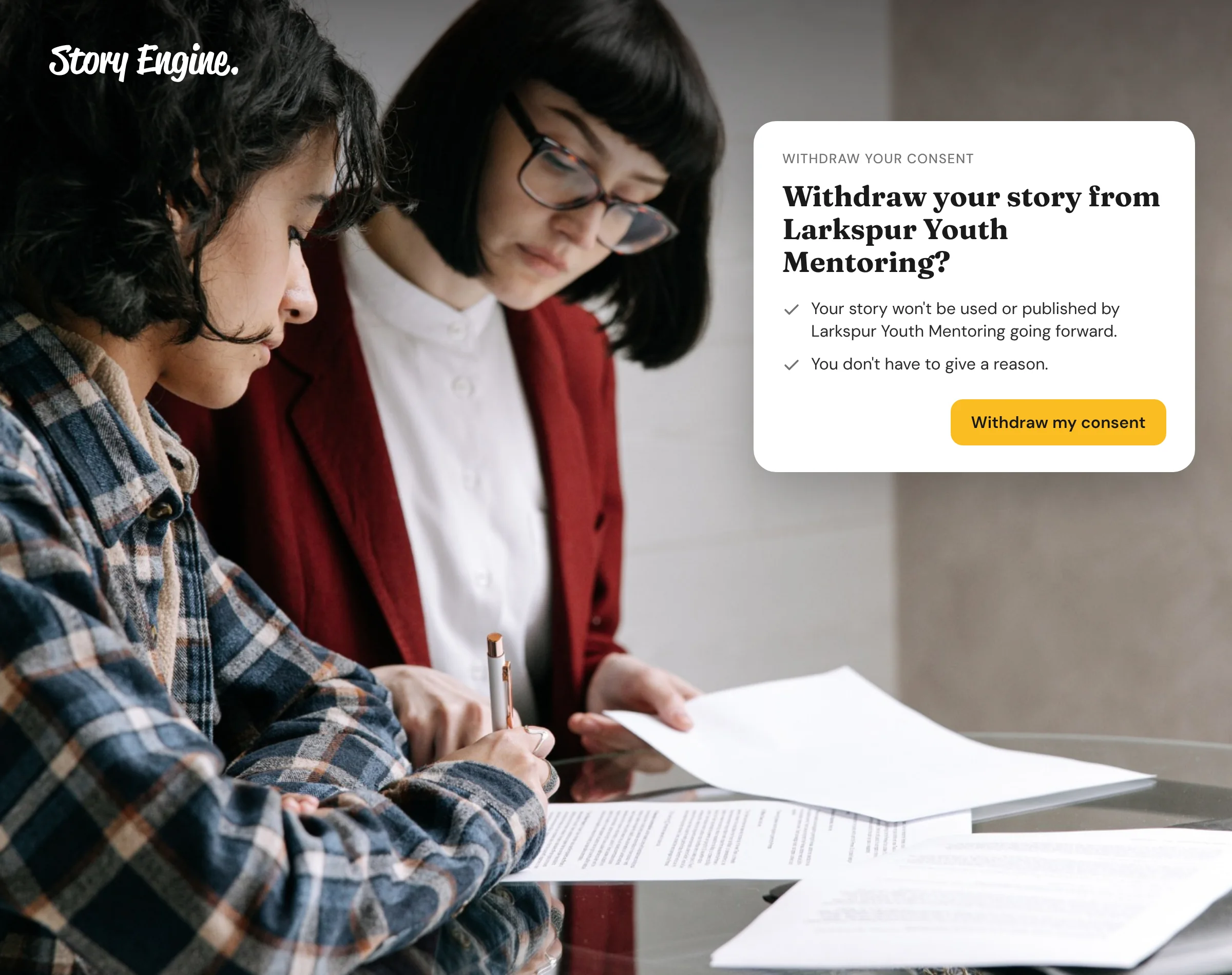
In Story Engine, every consent form is saved to the interview record, not to a person's account. Any team member with the right access can view a consent form or withdraw consent on a storyteller's behalf if asked. The storyteller can also withdraw their own consent at any time from the link in their consent email (as long as your org still has an account on Story Engine), which makes the process independent of whoever originally collected the story.
Can volunteers collect stories without getting full access to our account?
Yes, with a Moments link. In Story Engine, a Moments link lets anyone share a moment without needing an account. They sign a short consent form, and your team approves what comes in through Submissions. If a volunteer also needs to help write, you can invite them as a Contributor under Settings › Team, but a Contributor can't run interviews or post.
Build the process before you need it
The best time to document your storytelling process is before someone leaves, not after. Start with one shared document and one organization-owned login, and add from there. If you are ready to set up a repeatable collection workflow, the guide on how to collect impact stories is a good next step.
About the authors

A nonprofit copywriter and partner at Good Creatives.

Founded the agency Good Creatives in 2015, recognized by the American Institute of Graphic Arts.