Collect stories at your events with one QR code.
Moments are walls your community fills with photos, videos, notes, and recorded thoughts. Share a link or QR code, approve what comes in, and it shows on the wall.
Every team can start free with one interview and one piece.

Share your Larkspur story
Scan to start. No app needed.
Capture stories while the moment is fresh.
Events are where people feel most connected to your work, and where stories are easiest to miss. With Moments, guests share from their own phone in a minute or two. Your team checks every moment before it shows, and every one comes with signed consent.
Your events are full of stories.
Most of them walk out the door. A QR code lets people share while the moment is fresh.
Nobody has to stand at a table
People scan and share on their own phone. Your staff can stay with your guests.
No app, no sign-up
Scanning opens the page right away. There is nothing to download.
You approve what shows
Every moment is checked by your team before it shows on the wall, and nothing is saved until the person signs consent.
From a QR code to your wall.
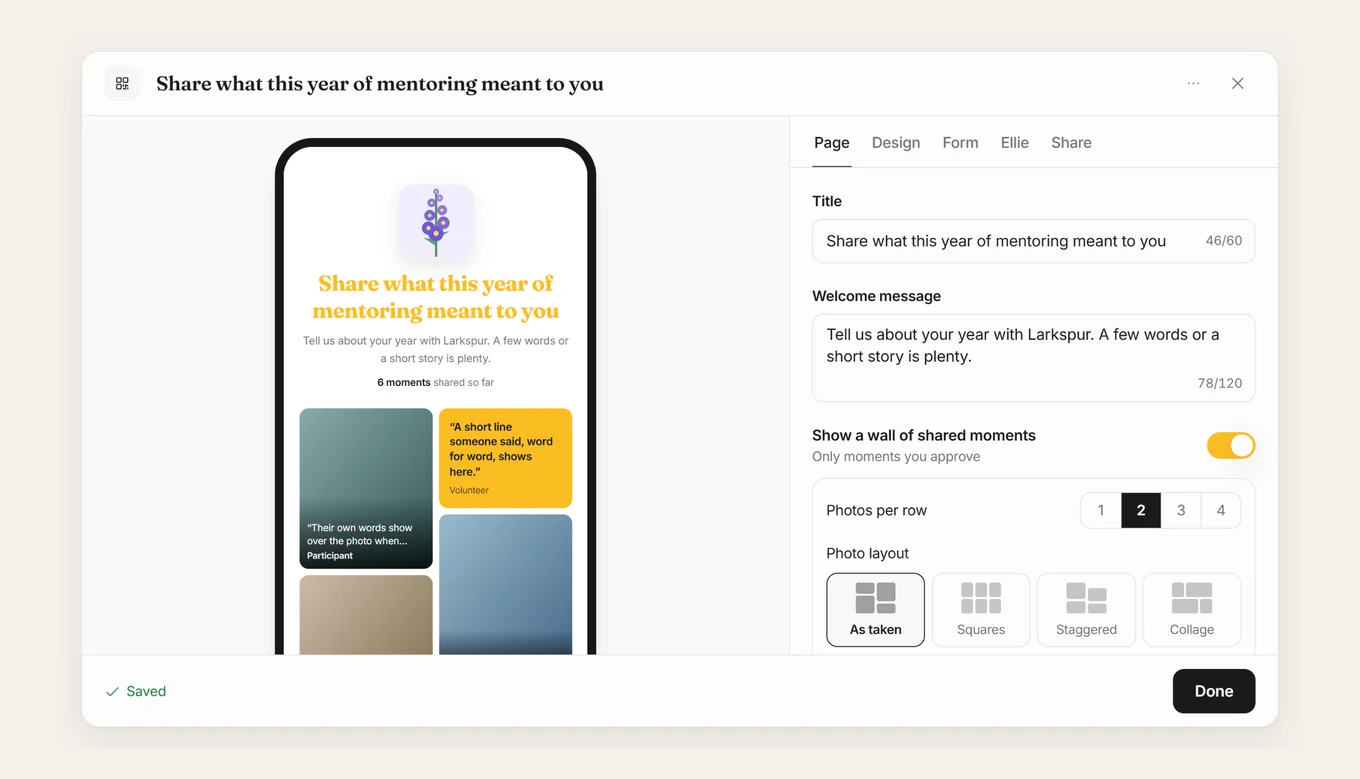
Make a link for your event or place
Give it a title and a welcome message, say what you’re collecting, and pick how people can respond. Then create the QR code.
- For an event, or for a place
- People respond by text, video, or phone
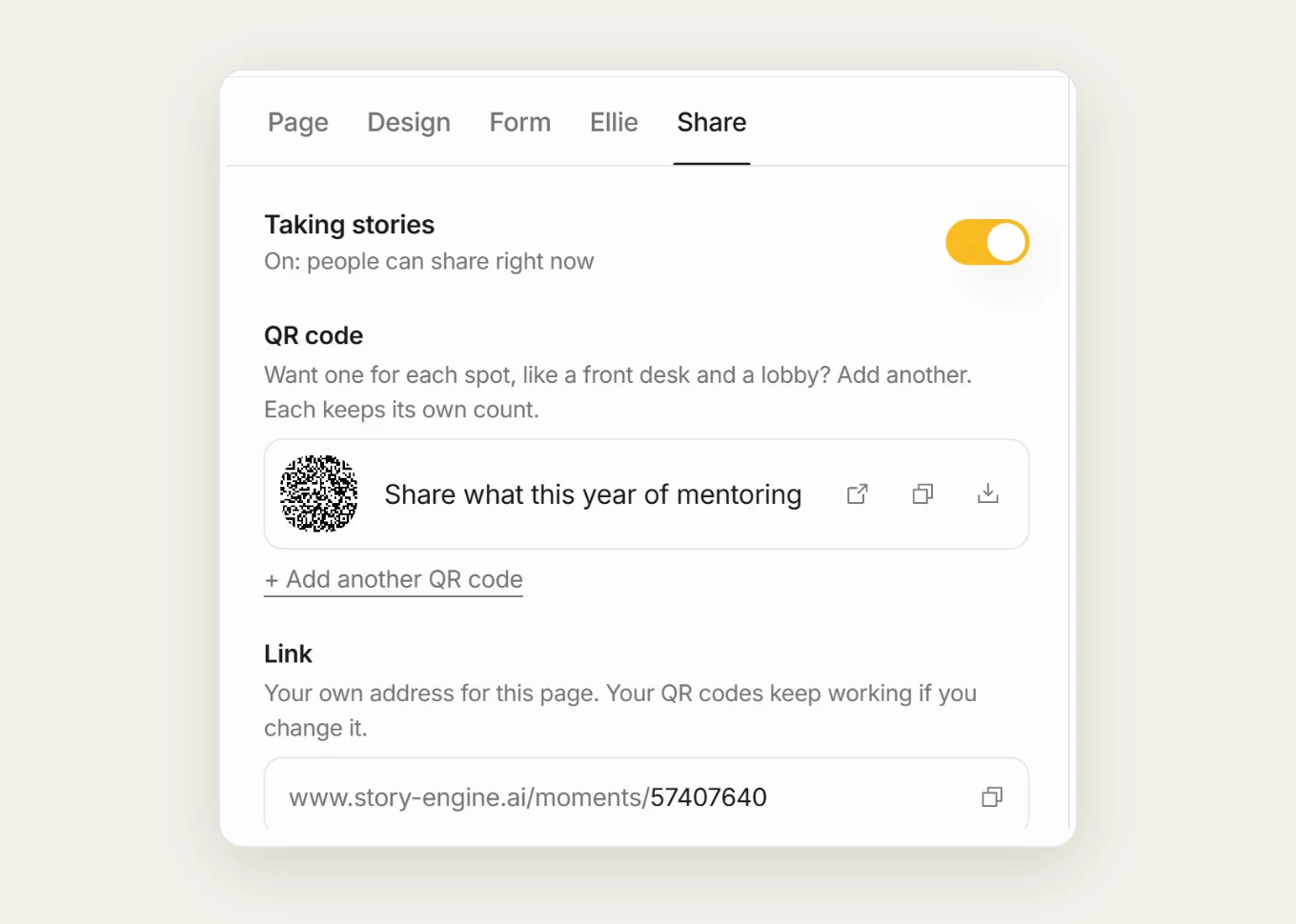
Put the QR code where people are
On the Share tab, download the QR code for a sign, a table card, or a slide, or copy the link. Add another QR code for each spot, and each one keeps its own count.
- Download, open, or copy
- One QR code for each spot
- Turn Taking stories off when you’re done
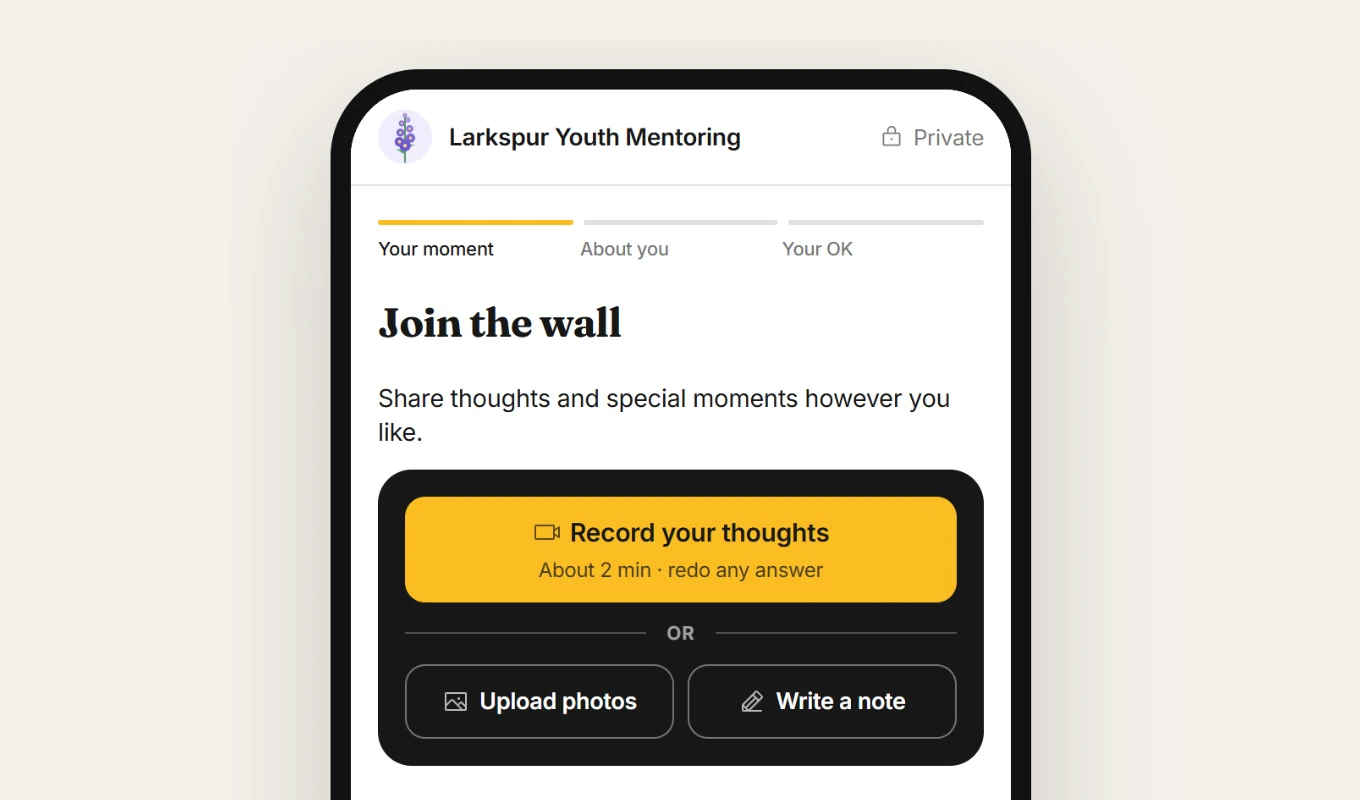
Guests scan and share their moment
They record their thoughts, upload photos, or write a note. Then they add their name and sign consent.
- Record, upload photos, or write a note
- Nothing is saved until consent is signed
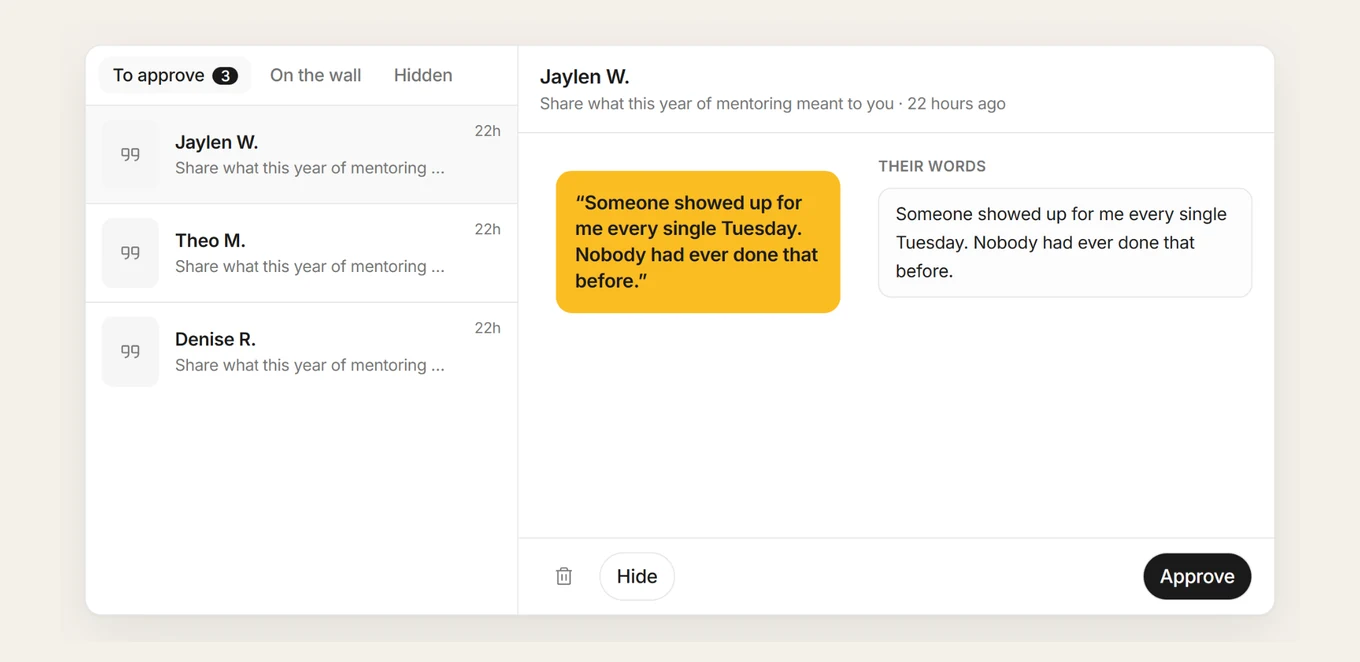
Approve it, and it shows on the wall
Your team checks every moment first: approve it for the wall, or hide it. You also get one email a day listing everyone who signed a consent form from your QR codes.
- Your team checks every moment first
- One email a day, with the signed forms attached
Included in paid plans.
Moments
- Links and QR codes for events and places
- Photos, videos, notes, and short interviews
- Your team approves every moment
- A signed consent form before anything is saved
- One email a day with the signed forms
Guides to help you start.
Questions about Moments.
What is Moments?
Moments is Story Engine’s way to collect stories at events and places. You share a link or QR code, people add a photo, video, note, or short interview and sign a consent form, and your team approves what shows on the wall.
How is this different from a shared photo album or a sign-up form?
An album or a form collects files with no record of what people agreed to. With Moments, each person signs a consent form before anything is saved, your team approves every moment before it shows on the wall, and every story is kept with its consent.
Do guests need an app?
No. Scanning the QR code opens the page in their phone’s browser.
Do guests sign consent?
Yes. They share their moment, add their name, and sign. Nothing is saved until the form is signed.
Does everything show on the wall right away?
No. Your team checks every moment first.
Is Moments on the free plan?
Moments with QR codes are on every paid plan. See the pricing on our homepage.
Works with the rest of Story Engine.
Bring a QR code to your next event.
Set it up in minutes, and let your guests share while the moment is fresh.
Start free