
How to Collect Impact Stories for Your Nonprofit
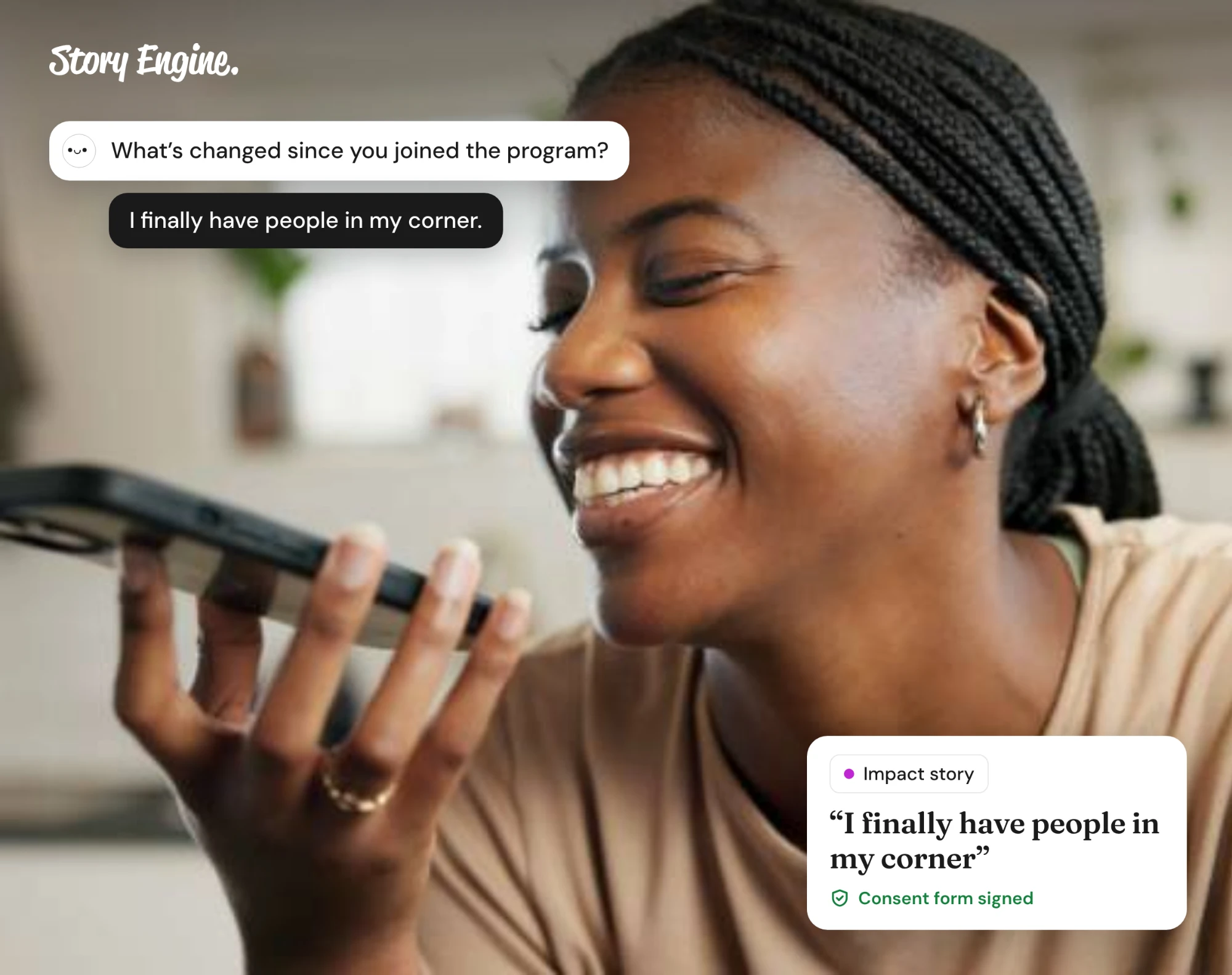
Collect impact stories by choosing who to ask, asking open questions, getting written consent, and keeping each story where your team can use it. An impact story shows what changed for one real person because of your work, told by the person who lived it.
See how Story Engine collects impact stories
This guide offers a practical path to collecting stories you can use with confidence. It covers who to ask, how to handle consent, how to run each interview, and how to turn a finished story into content.
A note before you begin
This guide wasn't written by trauma specialists, lawyers, or safeguarding professionals. It draws on published guidance from organizations with that expertise, which we name throughout and list at the end. It is not a substitute for trained support, your organization's safeguarding policies, or qualified legal advice.
If your organization collects stories about abuse, violence, serious illness, immigration status, or other sensitive issues, we strongly encourage you to consult your own safeguarding lead, legal counsel, or a trauma-informed practitioner before you begin. The same applies to any story involving a child.
Why impact stories are worth collecting
An impact story shows the real change a person experienced because of your work, and having even one can make a huge difference for your org. In one experiment at Carnegie Mellon, students who read a Save the Children appeal centering a real child named Rokia gave more than twice as much as students who read only a fact-based appeal.
You would think most orgs would make collecting impact stories a habit, but research in 2023 by Blackbaud and Nepa found that most donors do not know what difference their donation has made. The gap is rarely about interest, and collecting a story takes more than simply asking.
In BDO's 2026 survey of nonprofit leaders, half cited insufficient staff to collect impact data, and it's not hard to see why.
To collect a story, an org needs to find the right person or people to interview, write good questions, have a process for recording and transcribing the answers, navigate consent, tell stories with dignity, and on top of all of it, continue running programs and serving their communities.
That's why we built Story Engine, a tool that handles the busywork for you: it collects stories by phone, typing, or video, turns them into ethical content your team can share, and keeps everything at your fingertips in one searchable story library.
Who to collect stories from
Start with people who have been through a full arc of experience with your work: folks who came to you with a need, who experienced a clear shift, and who can speak to what that shift meant for them.
Some groups to consider:
- People you have served, who feel comfortable sharing
- Volunteers who have seen the work from the inside
- Community partners who can speak to systemic change
Avoid collecting only from people who already advocate for your organization. Seek people whose experience includes friction, complexity, or partial progress. Those stories are often the most credible.
If you work with children, people in crisis, or any group in a vulnerable position, apply extra care. Involve trusted adults where appropriate, and consider whether the person is in a stable enough situation to reflect on their experience without harm.
Consent: what it means and how to get it
Consent is the foundation. Without it, you do not have permission to use the story, and without informed consent, you have not given the person a real choice in how their story is used or shared.
Informed consent means the person understands what they are agreeing to: what you will record, how you will store it, what you might publish, and where. It also means they know they can withdraw their consent later, even after the story has been collected.
Get consent in writing, not just verbally. A signed form gives both you and the storyteller a clear record of what was agreed. Keep those records, and ensure they can too.
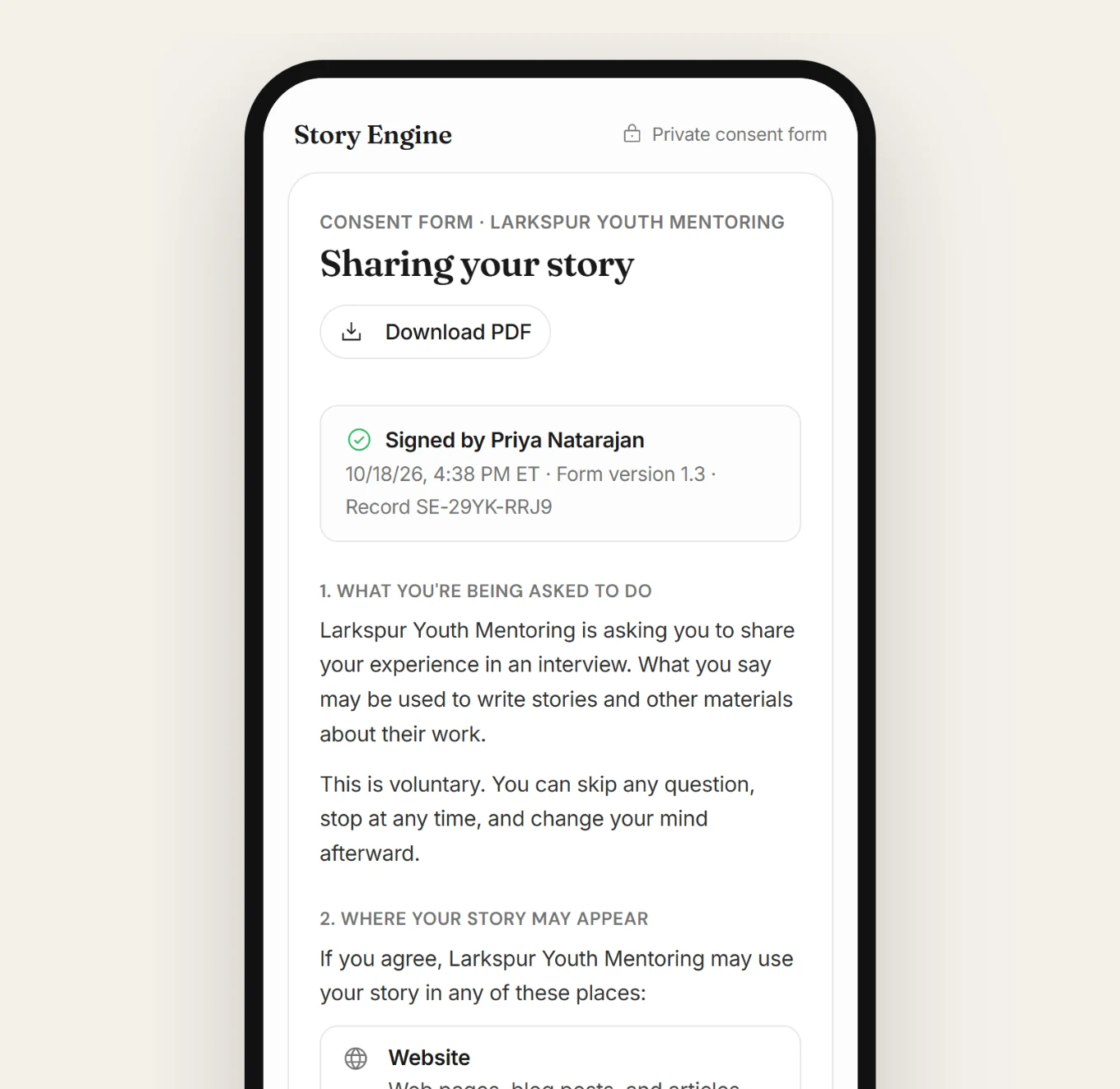
A few points that belong in any consent process:
- Explain the specific ways the story might be used (social media, a grant report, your website, a donor appeal)
- Name who the person can contact if they want to withdraw
- Make withdrawal easy, so no one has to chase anyone down
Consent is not a one-time checkbox. If your planned use changes significantly, go back and ask again.
How to collect impact stories in Story Engine
Story Engine has two main ways to collect: interviews and Moments.
For a one-on-one conversation, start in the Interviews section of the menu.
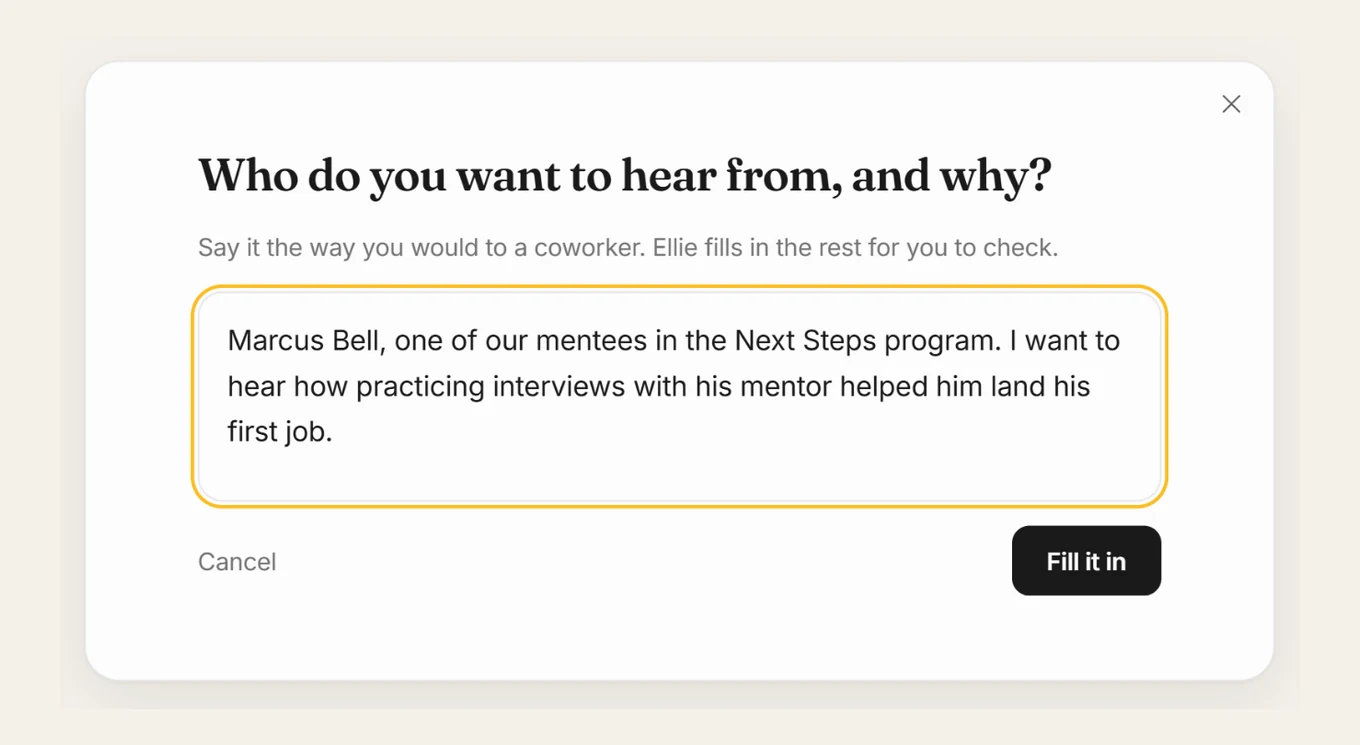
1. Say who you want to hear from
Click New interview, then From one person. Write who you want to hear from and why, the way you would tell a coworker, and press Fill it in. Story Engine's AI assistant, Ellie, then fills in the rest for you to check.
2. Check the questions
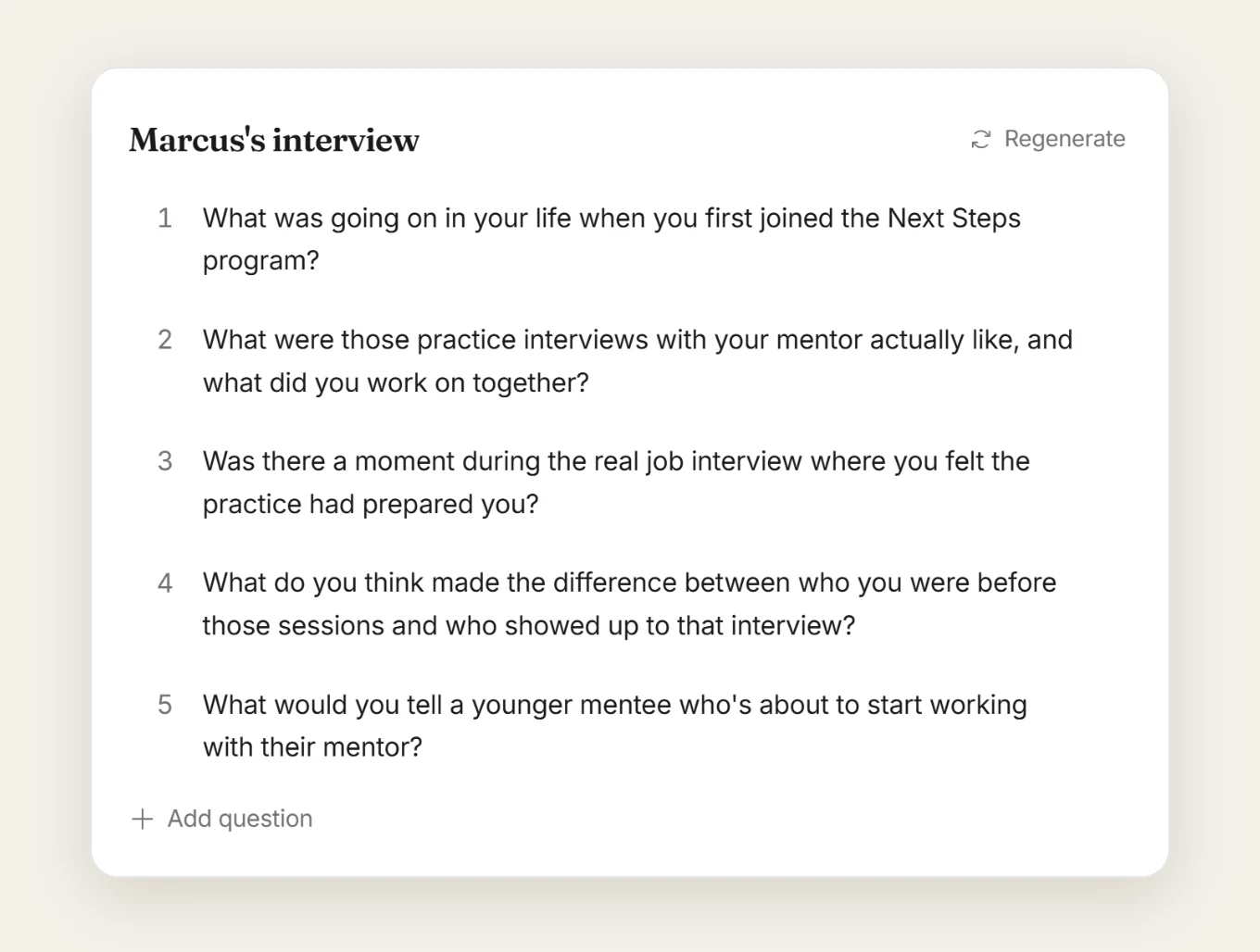
Ellie writes the questions on the left. You can edit any of them, change their order, use Add question, or press Regenerate if the first set doesn't fit. On the right, add the storyteller's name and email.
3. Choose how they answer
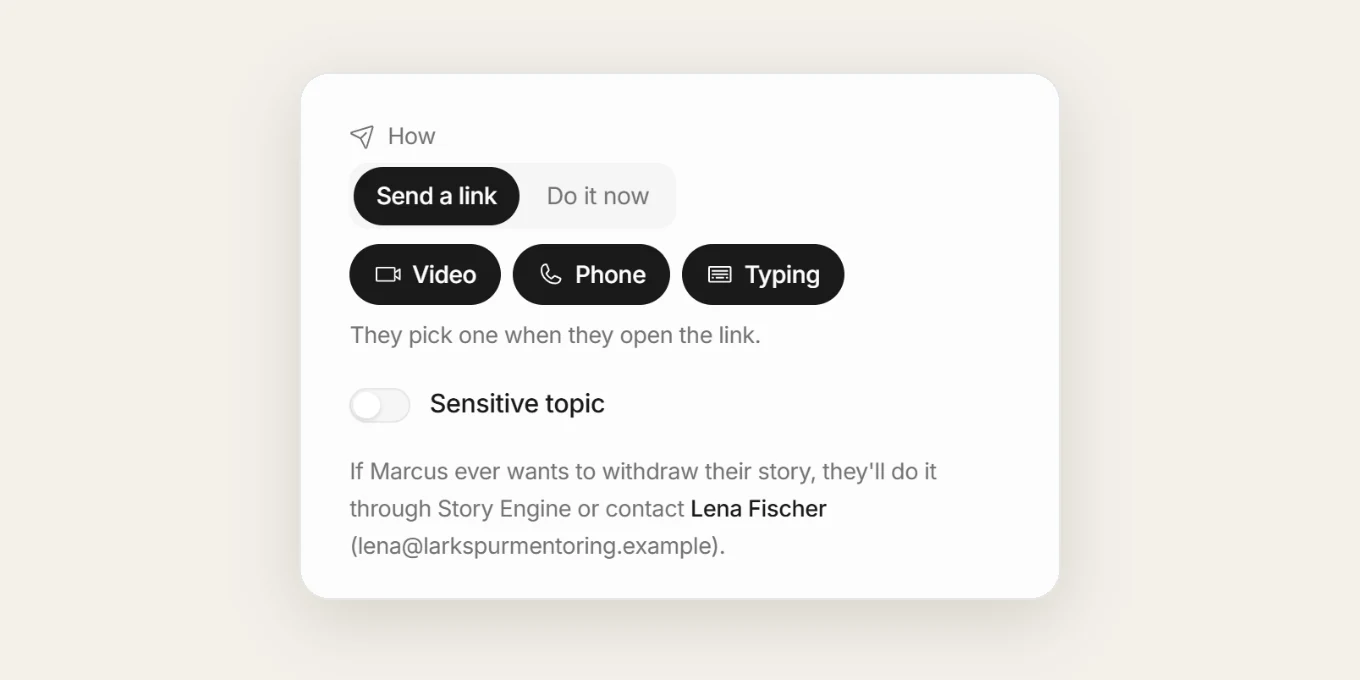
Under How, choose Send a link if the person wants to answer on their own time, or Do it now if you are both together and don't want to wait. They can answer by video, phone, or typing.
If the topic is sensitive, turn on Sensitive topic before sending so the 988 Lifeline and the Crisis Text Line are plainly visible before and during the conversation.
4. Wait for consent
Press Send invite. The first time you send an interview, Story Engine asks you to name a consent contact, the person the storyteller can reach if they want to withdraw.
Storytellers can always withdraw consent from the Story Engine tool, but the contact is there in the event that your team ever decides to leave Story Engine. That name and email are saved to Settings › Team.
The storyteller receives an email, signs a consent form before answering, and their signed form is kept. They see a summary and their full transcript before they approve, and can redo any answer. Your team sees nothing until they approve.
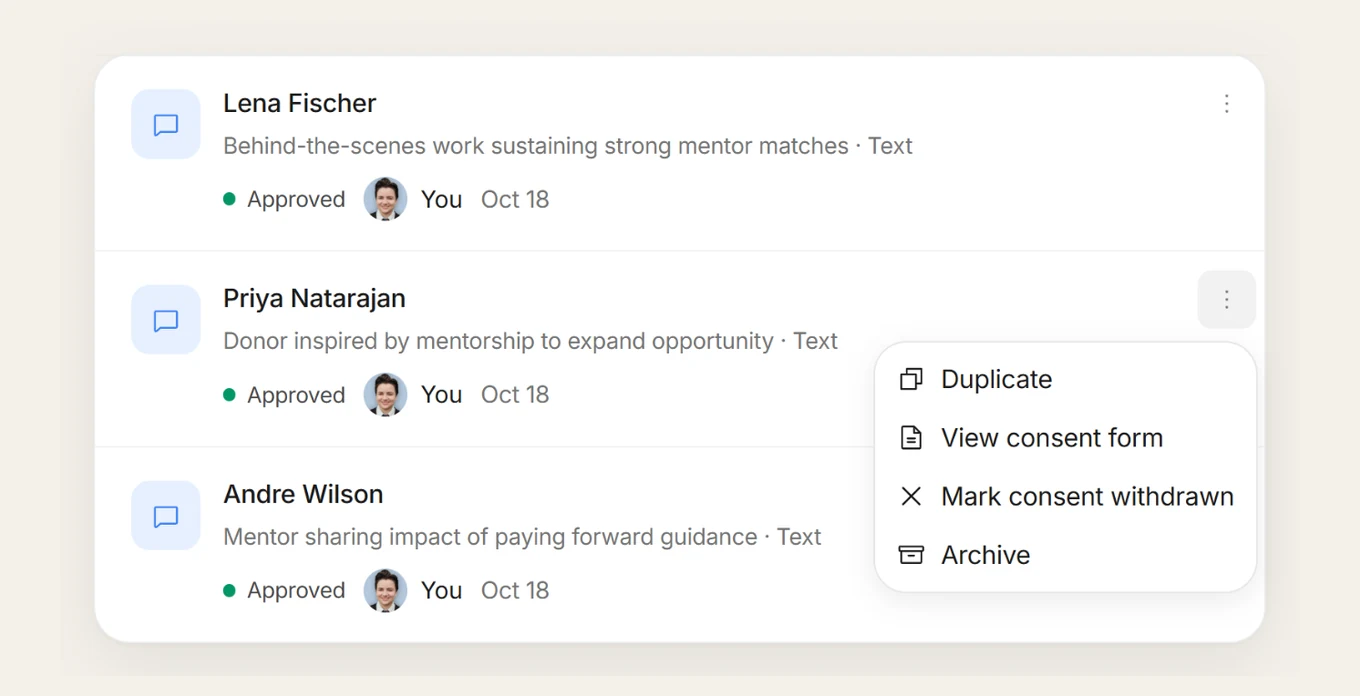
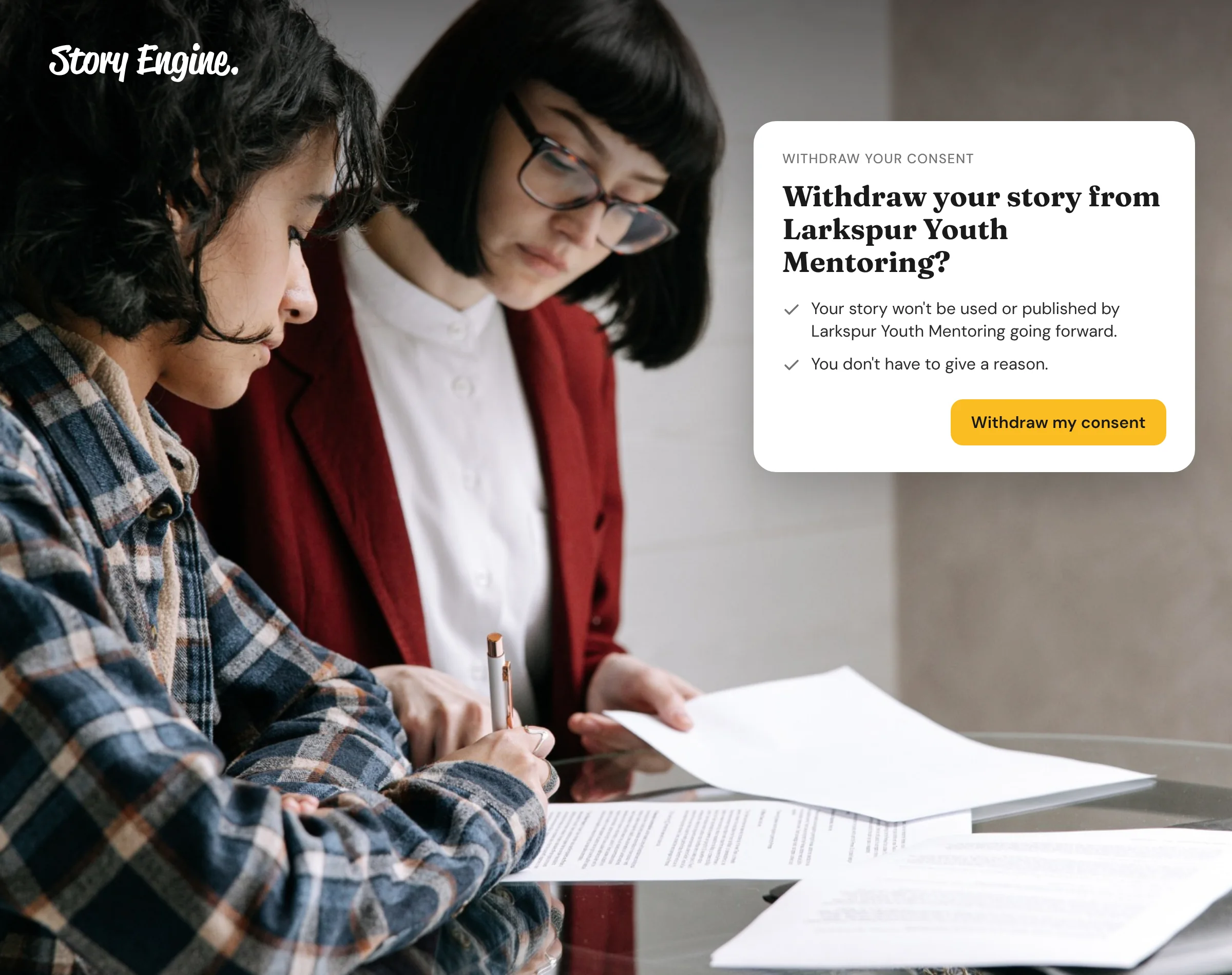
To withdraw from the website, the storyteller simply needs to click the link in the copy of the signed form that was emailed to them. You can view the form, or use Mark consent withdrawn on their behalf, from the ⋯ menu on their interview row.
5. Collect moments at events or via link
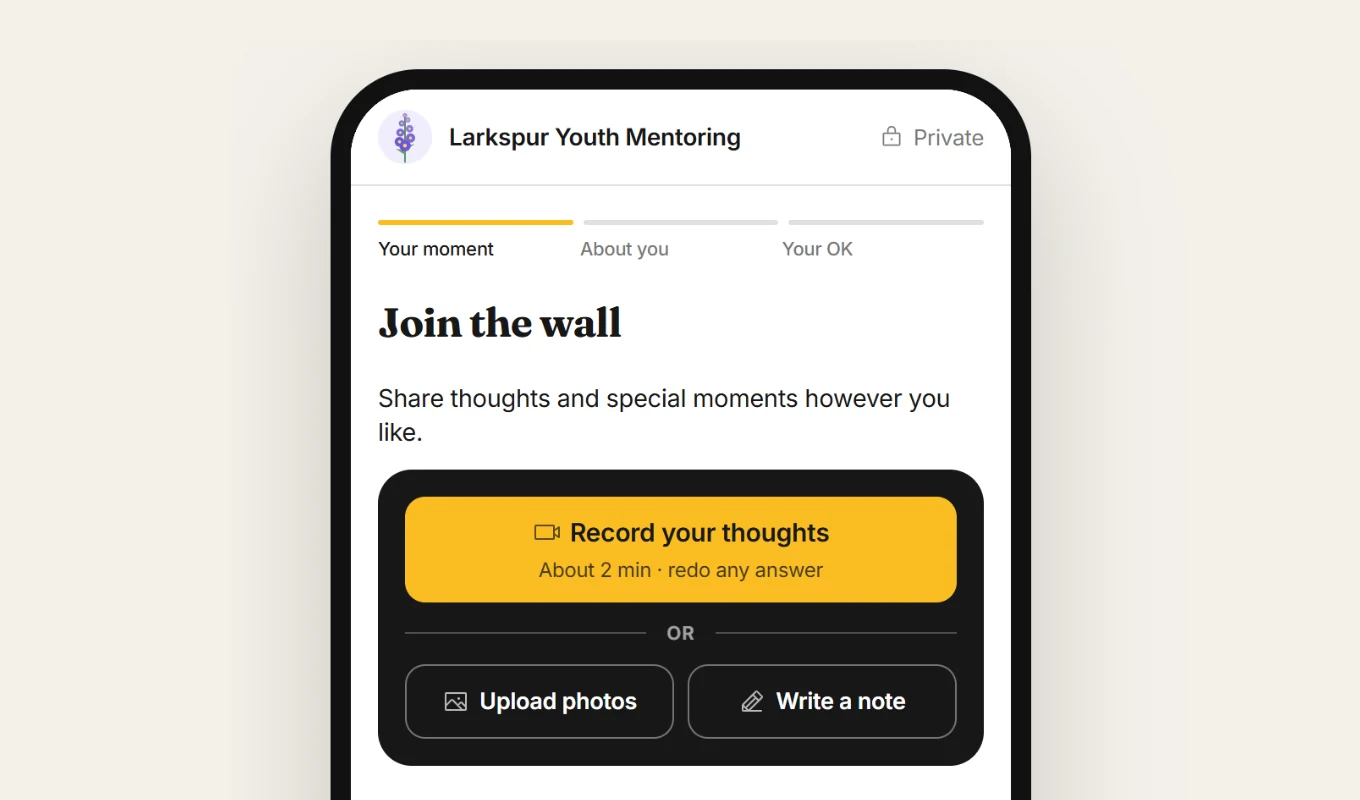
For events or open calls, use Moments (the four-squares icon in the menu). Click + New link, describe who you want to hear from and why, and Ellie will draft the page and questions.
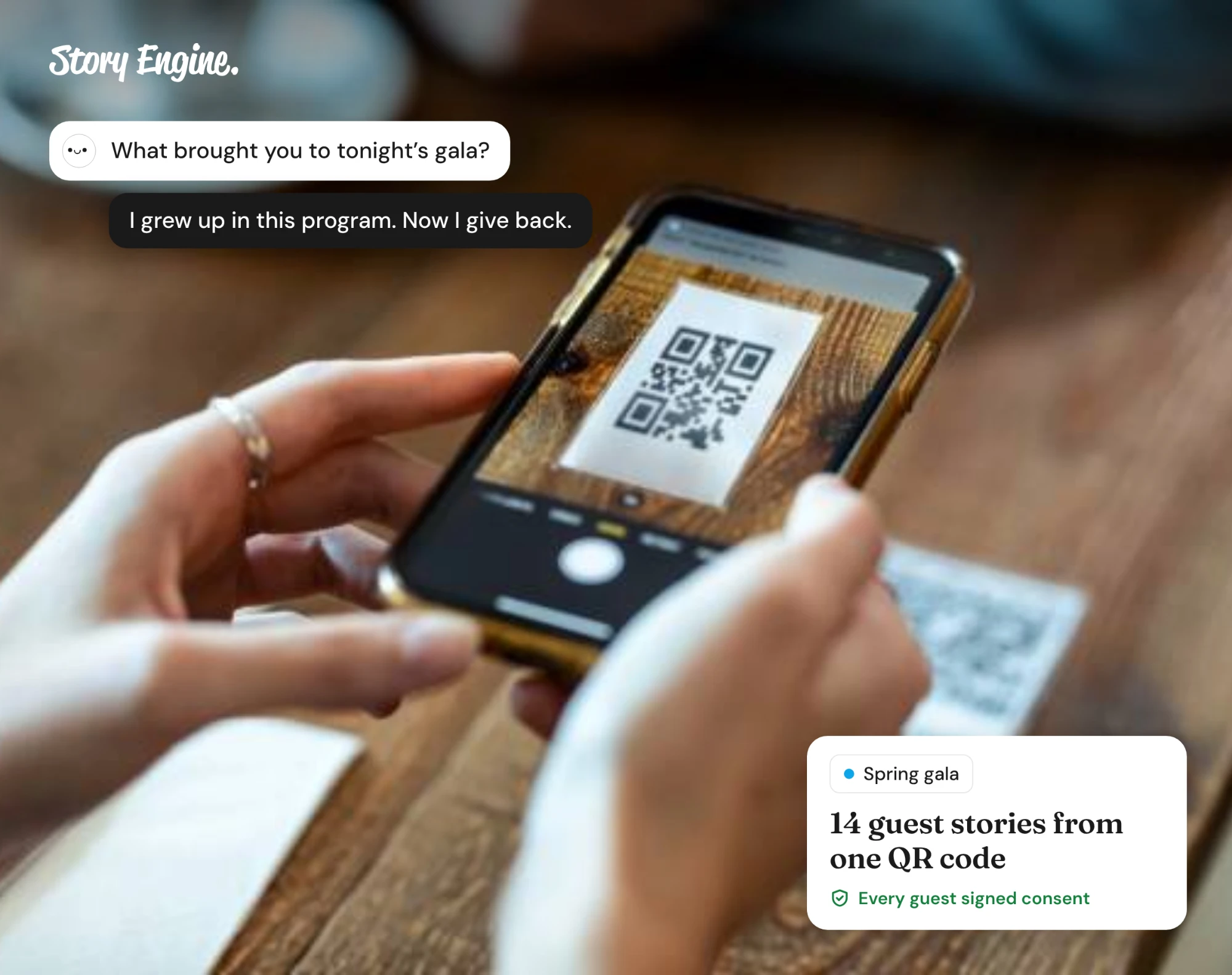
The link or QR code can be shared digitally in emails or through social media, and on print materials such as signs or flyers. Every person who wants to contribute goes through the same consent process, and you approve what appears on the public wall in Submissions.
6. Turn the story into content
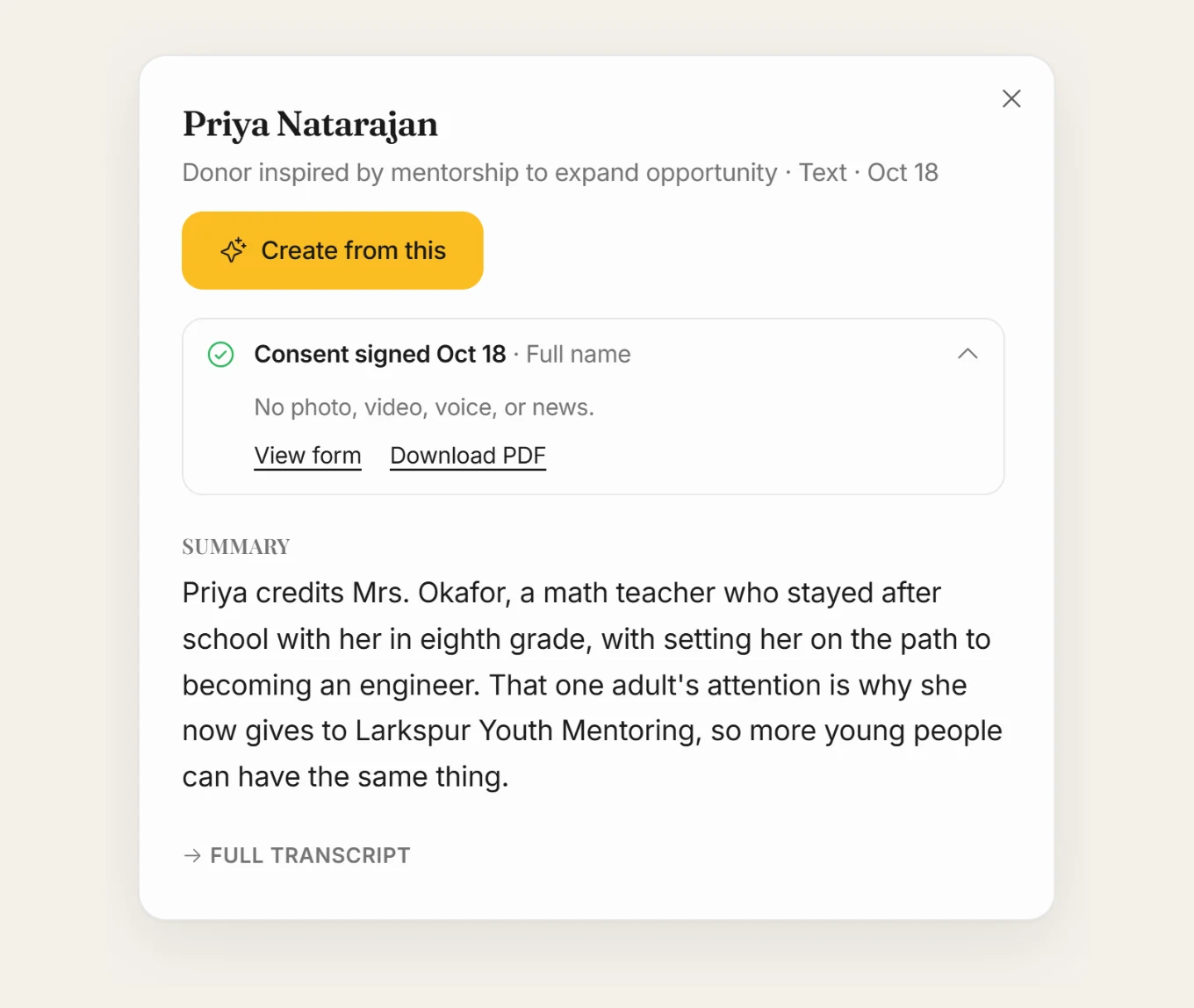
Once an interview is finished, it shows a summary and transcript. Open it and press Create from this, then ask Ellie to draft a post, a donor update, or whatever format you need.
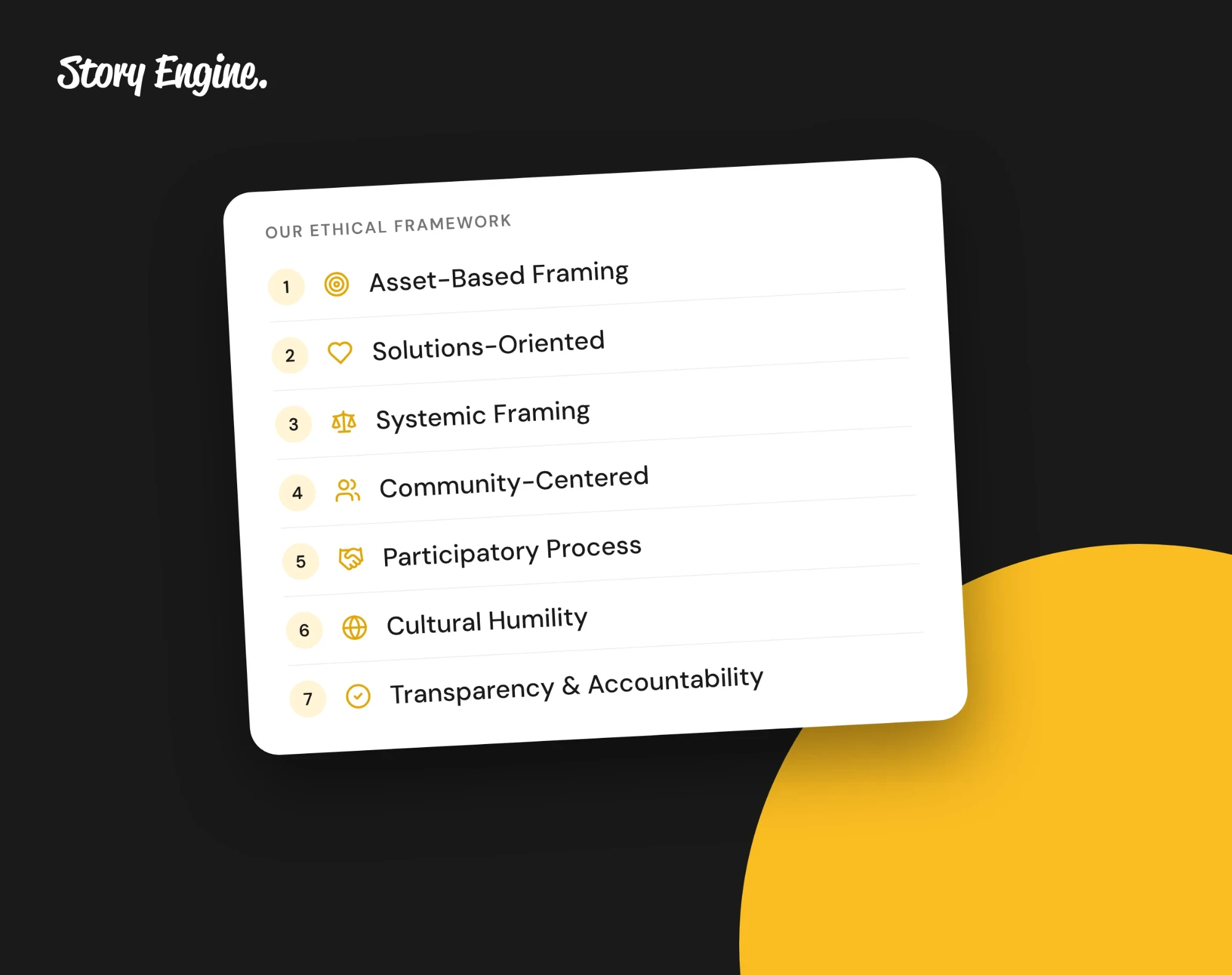
You can review any draft using the Ethical Framework check in the editor before it goes out. See Story Engine's seven principles for what that check looks at.
Frequently asked questions
Can someone withdraw their story after sharing it?
Yes. In Story Engine, the person who signed the consent form can withdraw their consent themselves from the link in the copy emailed to them. A team member can also use Mark consent withdrawn from the interview's ⋯ menu. Make your withdrawal process clear to storytellers before they sign.
Can we collect stories without doing a full interview?
Yes. Story Engine's Moments links let people share a few words, some photos, or a short chat with Ellie without a scheduled interview. It works well at events or when you want to hear from a wider group quickly and in-the-moment. You still get a consent form for each submission.
What questions should we ask in an impact interview?
Start with context, not conclusions. Ask what the person's situation looked like before they worked with you, what happened, and what is different now. Avoid leading questions that suggest the answer. In Story Engine, Ellie suggests questions based on the kind of story you want to collect, and you can edit them to fit the person and situation.
Start with one story.
You don't need a full program to begin. Pick one person who has been through the full arc of your work, ask them open questions, and get their consent in writing. One good story is the best place to start, and you can collect your first one for free when you sign up for Story Engine.
If privacy or safety means photos of the people you serve are off the table, see how to show impact without photos. For everything that belongs in a consent form before you collect, see what to include in a storyteller consent form.
Sources
About the authors

A nonprofit copywriter and partner at Good Creatives.

Founded the agency Good Creatives in 2015, recognized by the American Institute of Graphic Arts.