
How to Use an AI Interviewer for Impact Stories
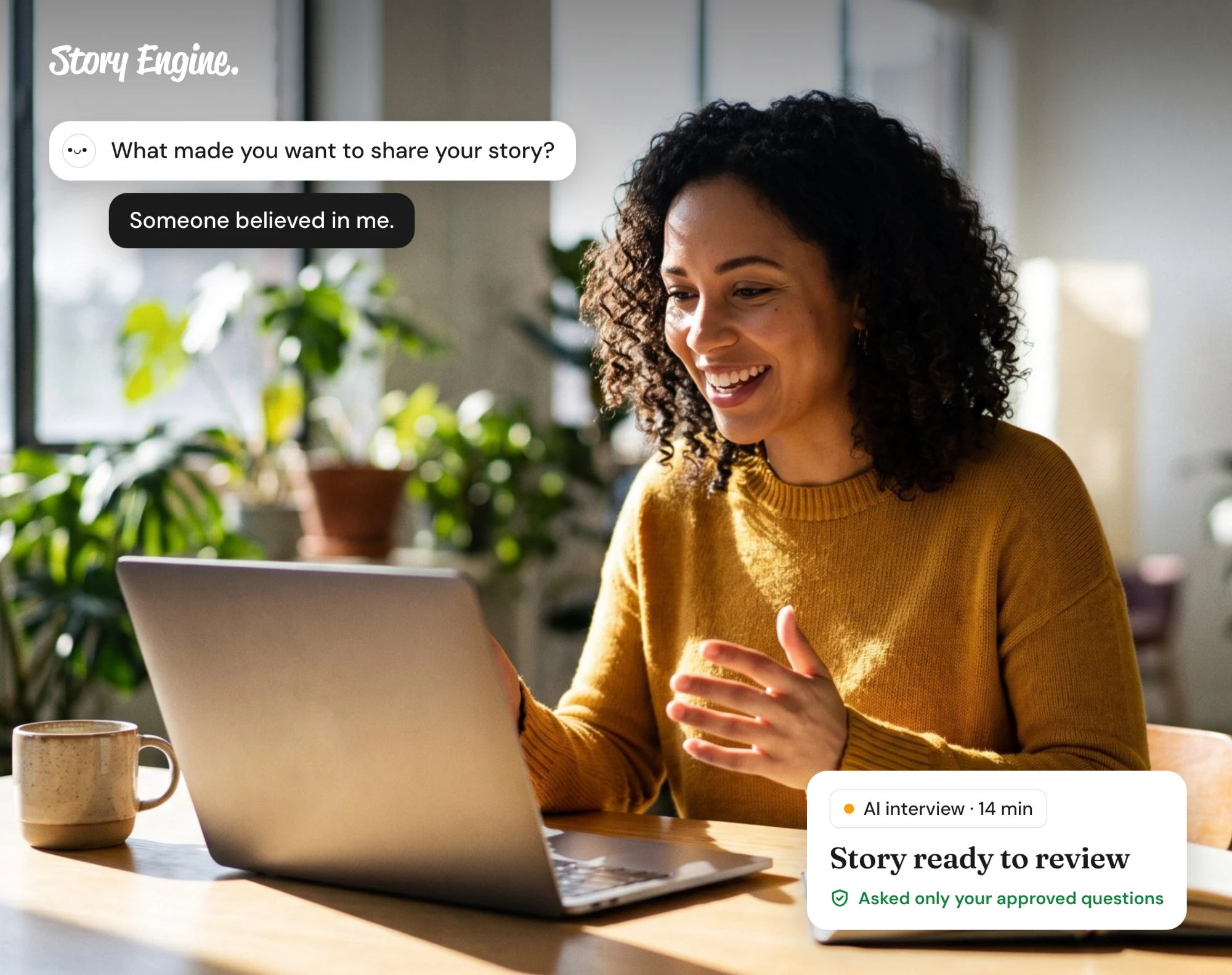
An AI interviewer collects impact stories for you: you approve the questions, send a link, and the storyteller answers by video, phone, or typing on their own time. It saves scheduling one-on-one interviews, which takes time neither the team nor the storyteller always has.
See how Story Engine runs AI interviews for impact stories.
This guide will help you collect impact stories through an AI interviewer while keeping storytellers in control of how their words are used. It covers how the process works, what consent looks like, which formats to offer, and what comes out the other side.
A note before you begin
This guide wasn't written by trauma specialists, lawyers, or safeguarding professionals. It draws on published guidance from organizations with that expertise, which we name throughout and list at the end. It is not a substitute for trained support, your organization's safeguarding policies, or qualified legal advice.
If your organization collects stories about abuse, violence, serious illness, immigration status, or other sensitive issues, we strongly encourage you to consult your own safeguarding lead, legal counsel, or a trauma-informed practitioner before you begin. The same applies to any story involving a child.
What is an AI interviewer for impact stories?
An AI interviewer holds a structured, careful conversation with a storyteller, asks the questions your team approved, and records or transcribes the exchange without a human moderator in the room.
An impact story is a first-person account of how a program, service, or relationship made a difference. A story that shows the before, the moment of change, and the after shows donors directly what their giving made possible.
How does consent work in an AI interview?
Consent is not simply a checkbox. Bond's guidance on ethical storytelling puts it plainly: participants must feel safe and comfortable enough to withdraw consent at any point during the collection process.
For an AI interview, that means three things:
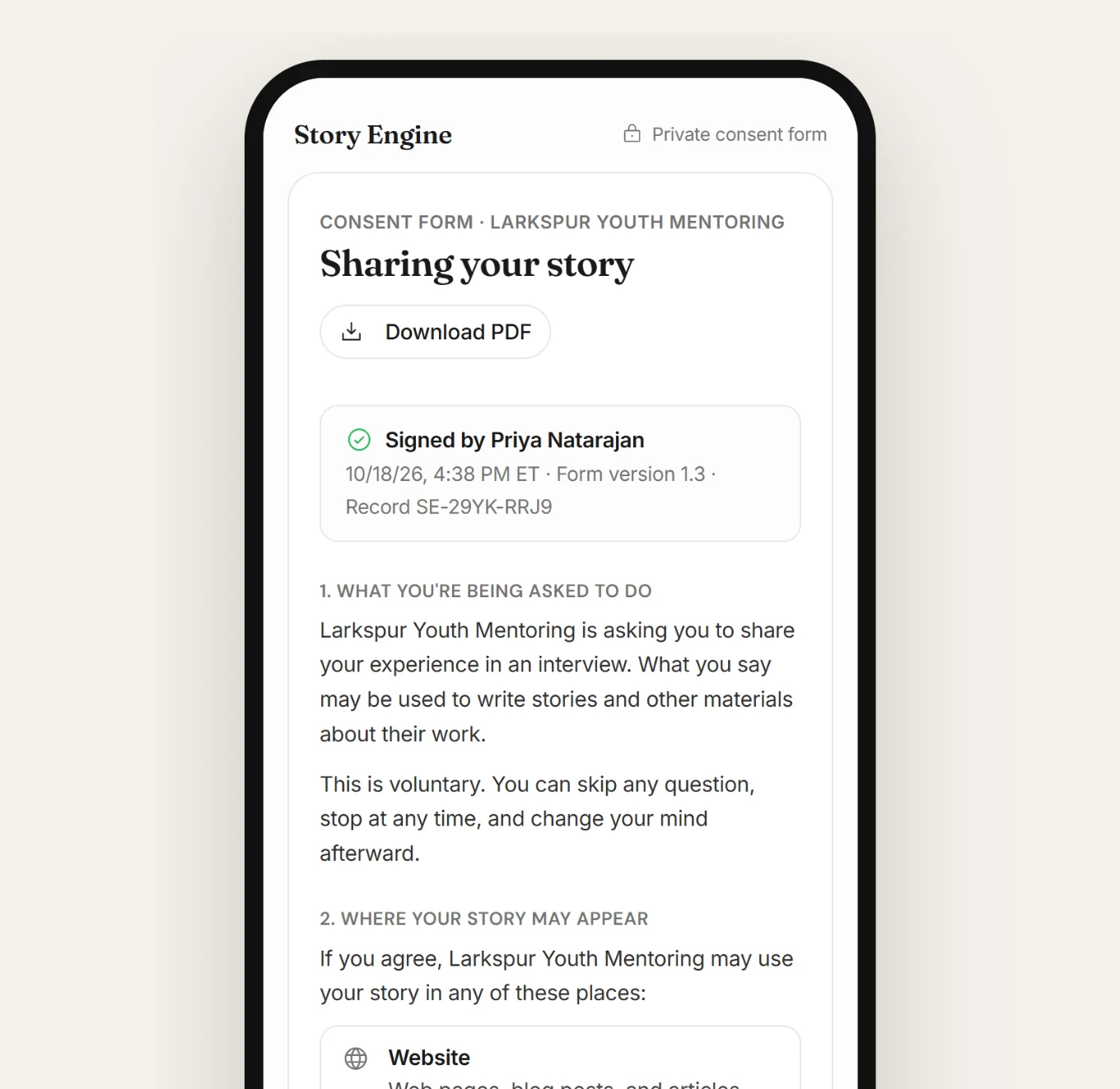
- First, the storyteller must know, before the conversation begins, who is collecting their story, how it will be used, and who to contact if they want it removed.
- Second, consent must be freely given. A storyteller who feels pressured by a staff relationship, a power imbalance, or a time constraint is not giving free consent. The AI format can help here: responding asynchronously, without a person waiting on the line, removes some of that pressure.
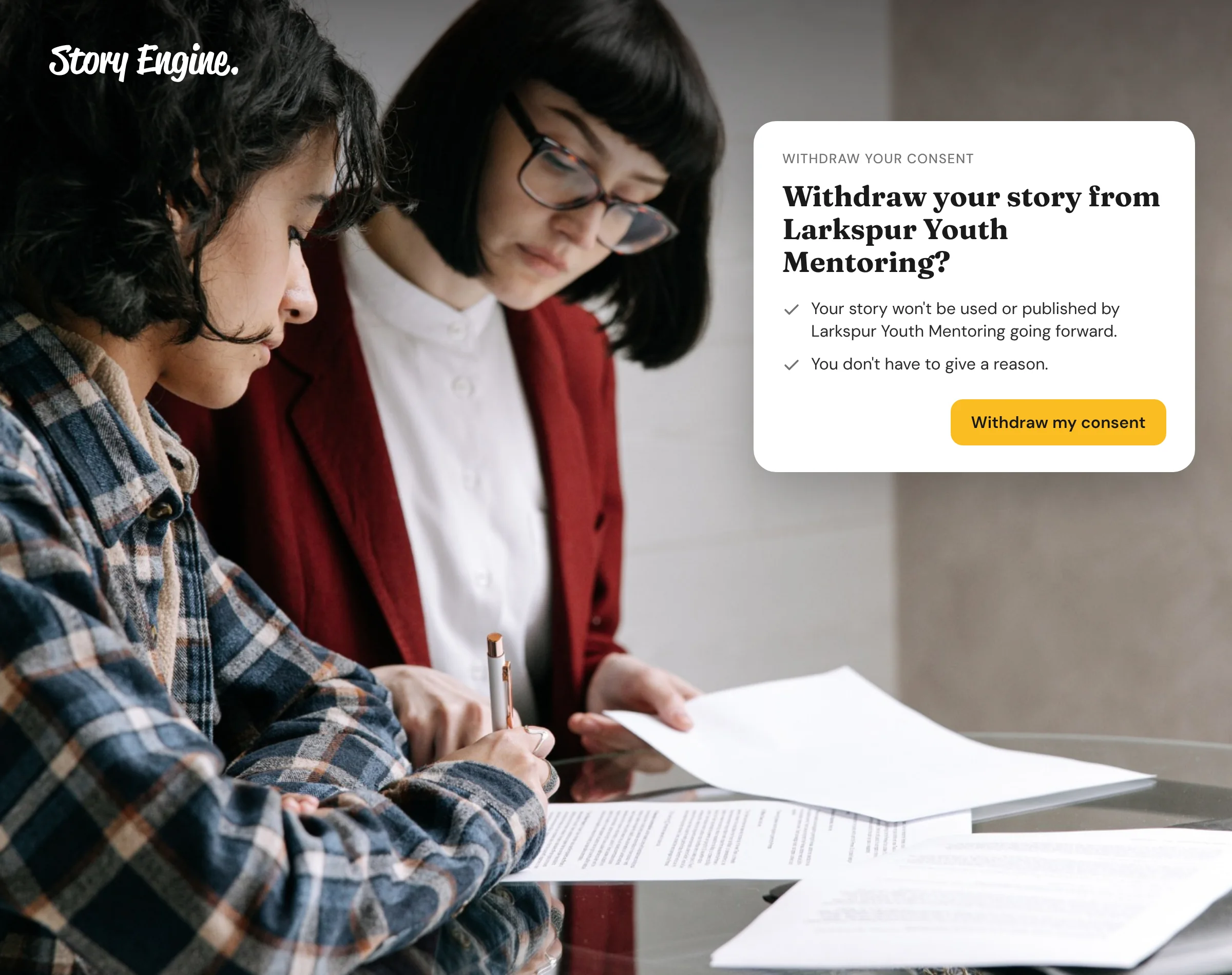
- Third, the right to withdraw must be honored and easy to exercise. Keeping signed forms and giving the storyteller a direct way to revoke them are both part of that promise.
If the interview will touch on sensitive topics, name them in advance and give the storyteller the option to skip.
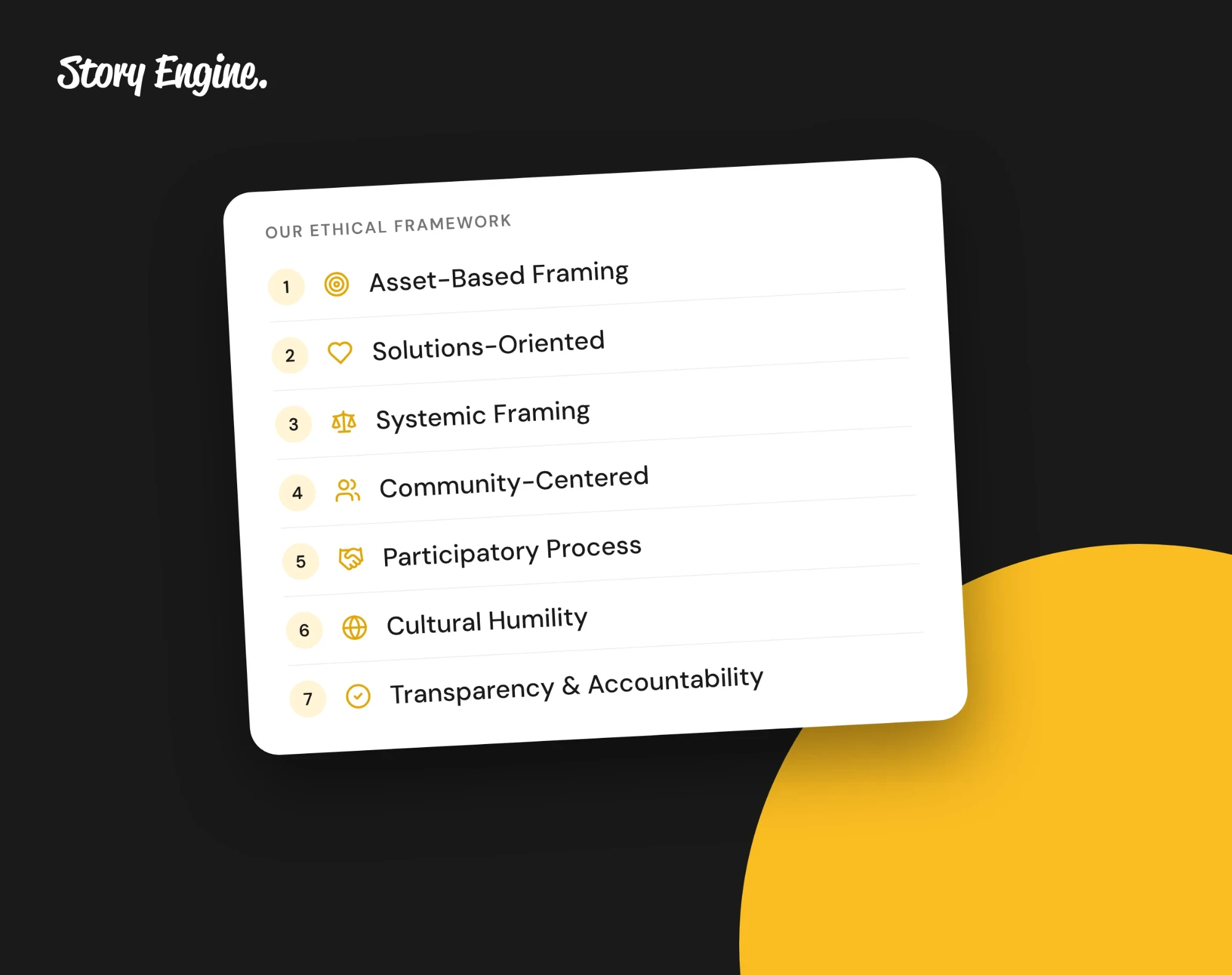
Consent is also where dignity starts. Story Engine's Ethical Framework principle of participatory process asks us to treat people as co-creators of their story, not just sources to draw from.
What response formats can a storyteller use?
Giving people a choice respects their comfort and often produces richer answers.
- Video: The storyteller records themselves speaking. Good for capturing expression and tone. Requires a camera and a reasonably quiet space.
- Phone: An audio-only call or recording. Lower barrier than video, still captures voice and emotion.
- Typing (chat): The storyteller types their answers at their own pace. Useful for people who process better in writing, those with speech differences, or anyone in a noisy environment.
Offering all three and letting the storyteller choose respects their situation. Whatever format they choose, the AI guide asks the same approved questions.
When to use a person instead
AI interviewers can't read distress or respond to it like a human can. For stories about trauma, abuse, grief or similar experiences, a trained person is the safer choice.
If you use the AI interviewer anyway, Ellie asks only the questions you approve, with no follow-ups, but she is still AI and can make mistakes. With Sensitive topic on, the 988 Lifeline and the Crisis Text Line are shown before and during the interview. The duty of care still stays with your team.
How to collect impact stories in Story Engine
Story Engine runs an AI interviewer called Ellie, who conducts the conversation, collects consent, and passes the finished interview to the team for content creation.
There are two ways to collect stories, depending on who you're asking.
1. Set up an interview for one person
Go to Interviews in the left menu and select New interview, then From one person. Write who you want to hear from and why, the way you would tell a coworker, and press Fill it in.
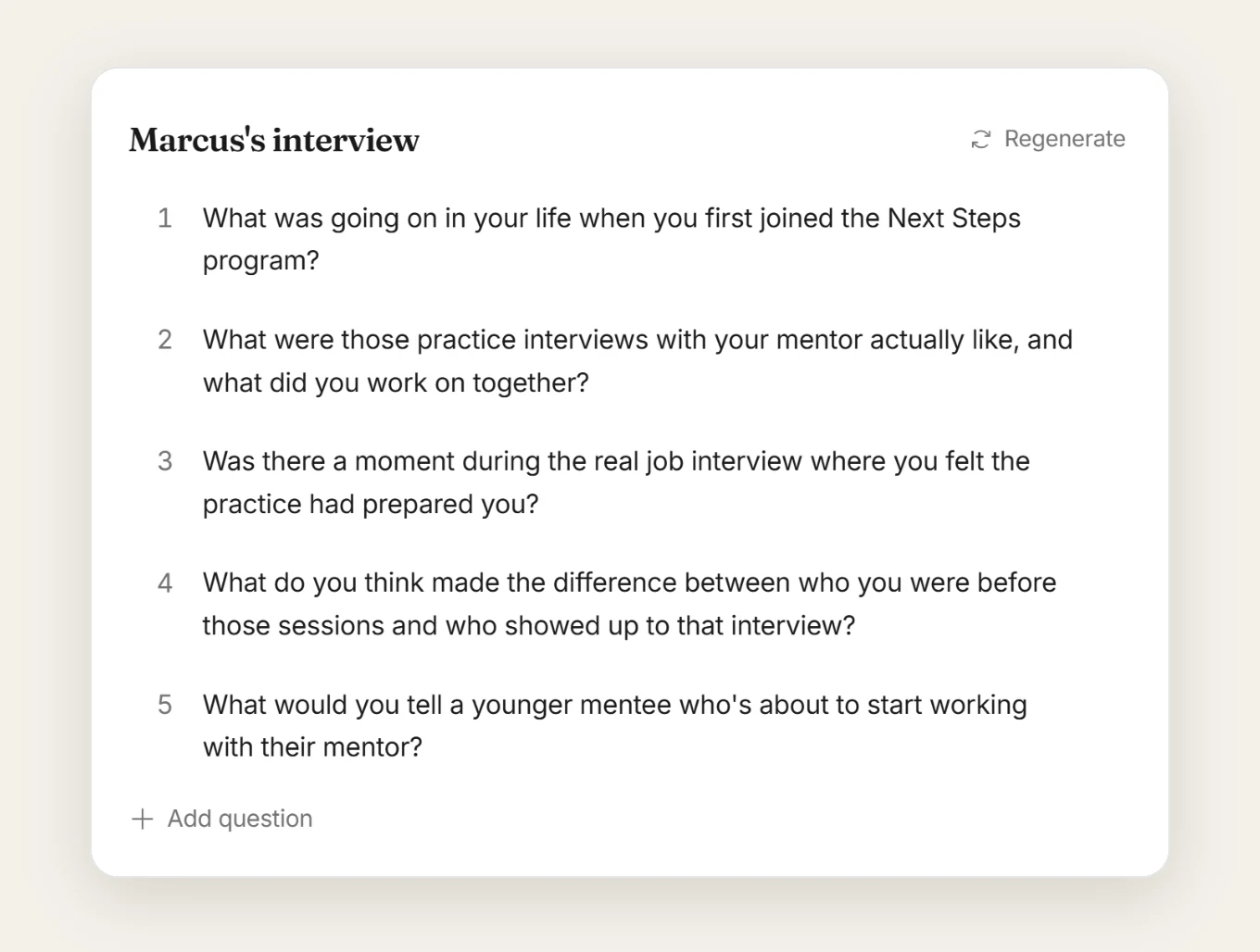
Ellie fills in the rest for you to check: the questions on the left, which you can edit, add to, or Regenerate (for a fresh set), and the person's details on the right.
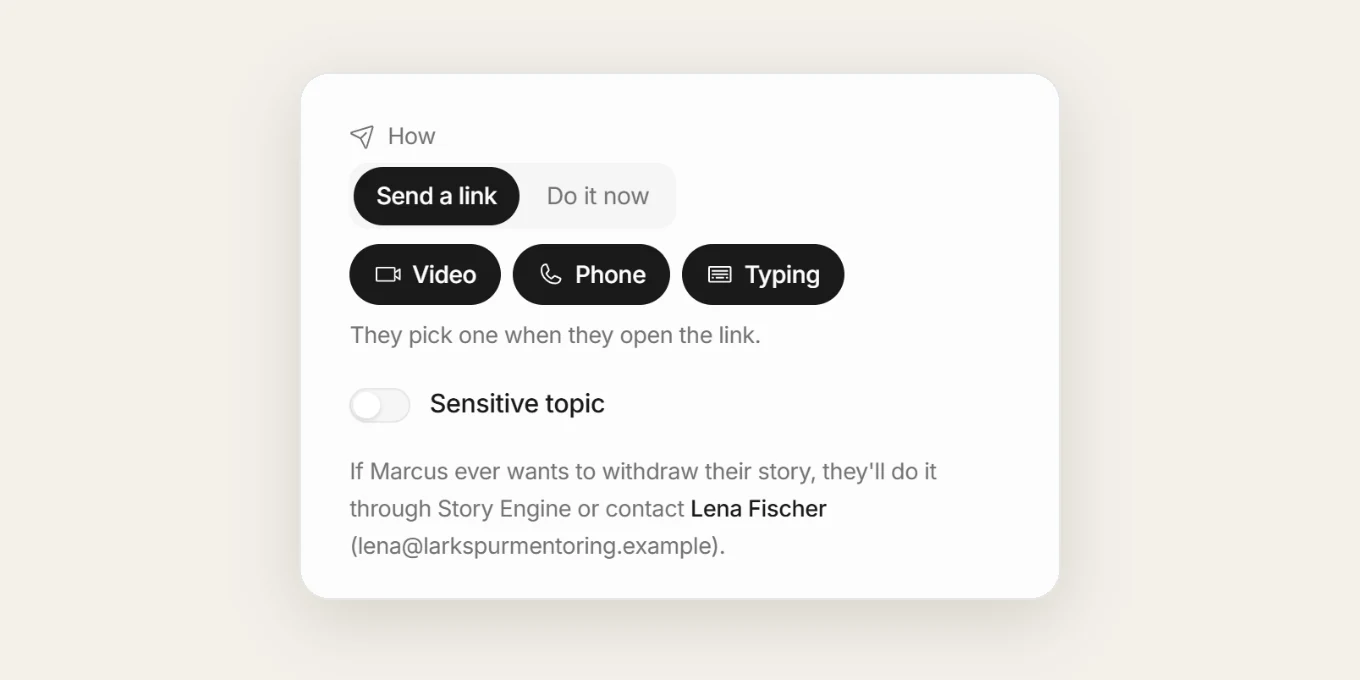
Under How, choose Send a link so they answer on their own time, or Do it now. Turn on Sensitive topic if the story may touch on difficult experiences. The first time your team sends an interview, you'll be asked to name the consent contact, the person storytellers reach if they want to withdraw.
2. Choose how the storyteller can respond
Under How, set whether the storyteller can answer by video, phone, or typing. With more than one selected, they can pick when they open the link. Story Engine then emails them an invite.
Before the conversation starts, the storyteller signs a consent form. That signed form is stored and can be viewed any time from the interview's row menu using View consent form.
3. Open a Moments link for a group
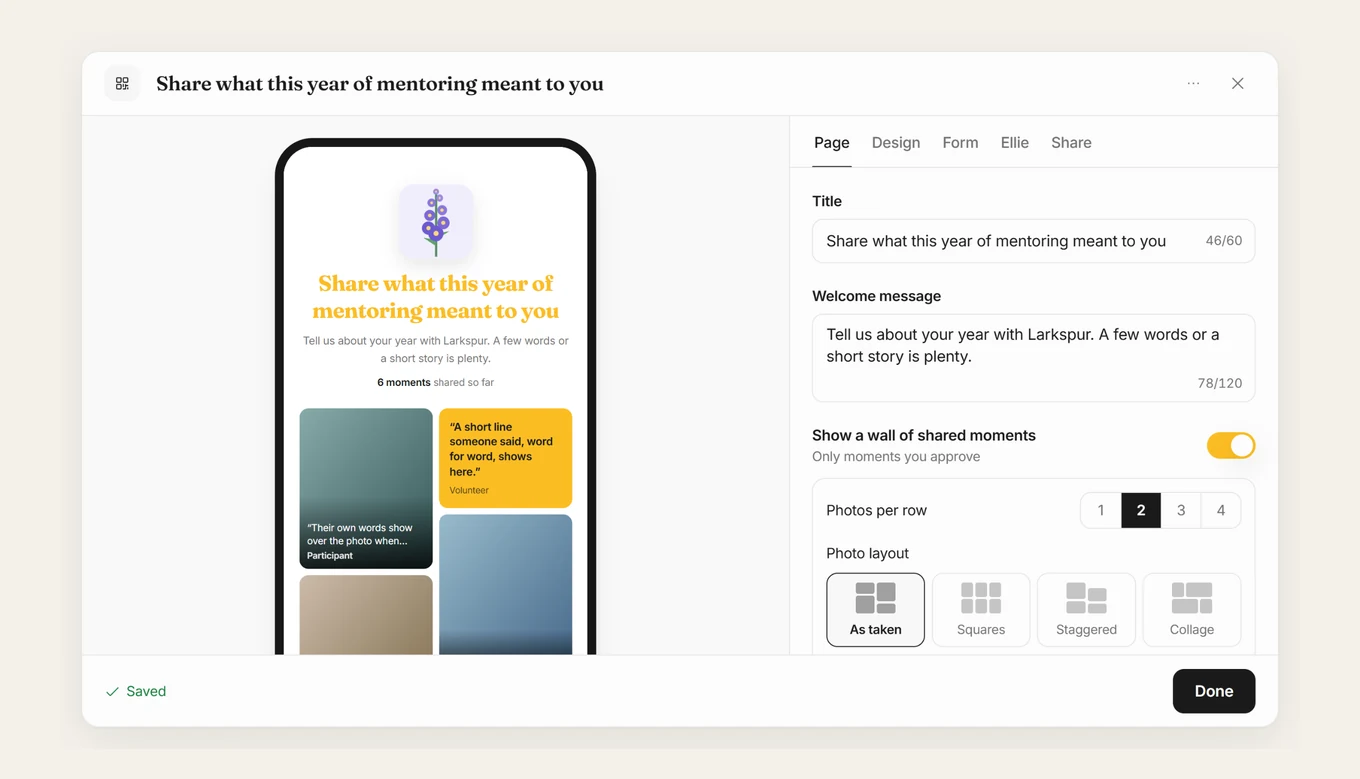
When you want to hear from many people, go to Moments in the left menu and select + New link. Describe who you want to hear from and why. Ellie will fill in the page, the questions, and the design (you can change anything, or do it yourself).
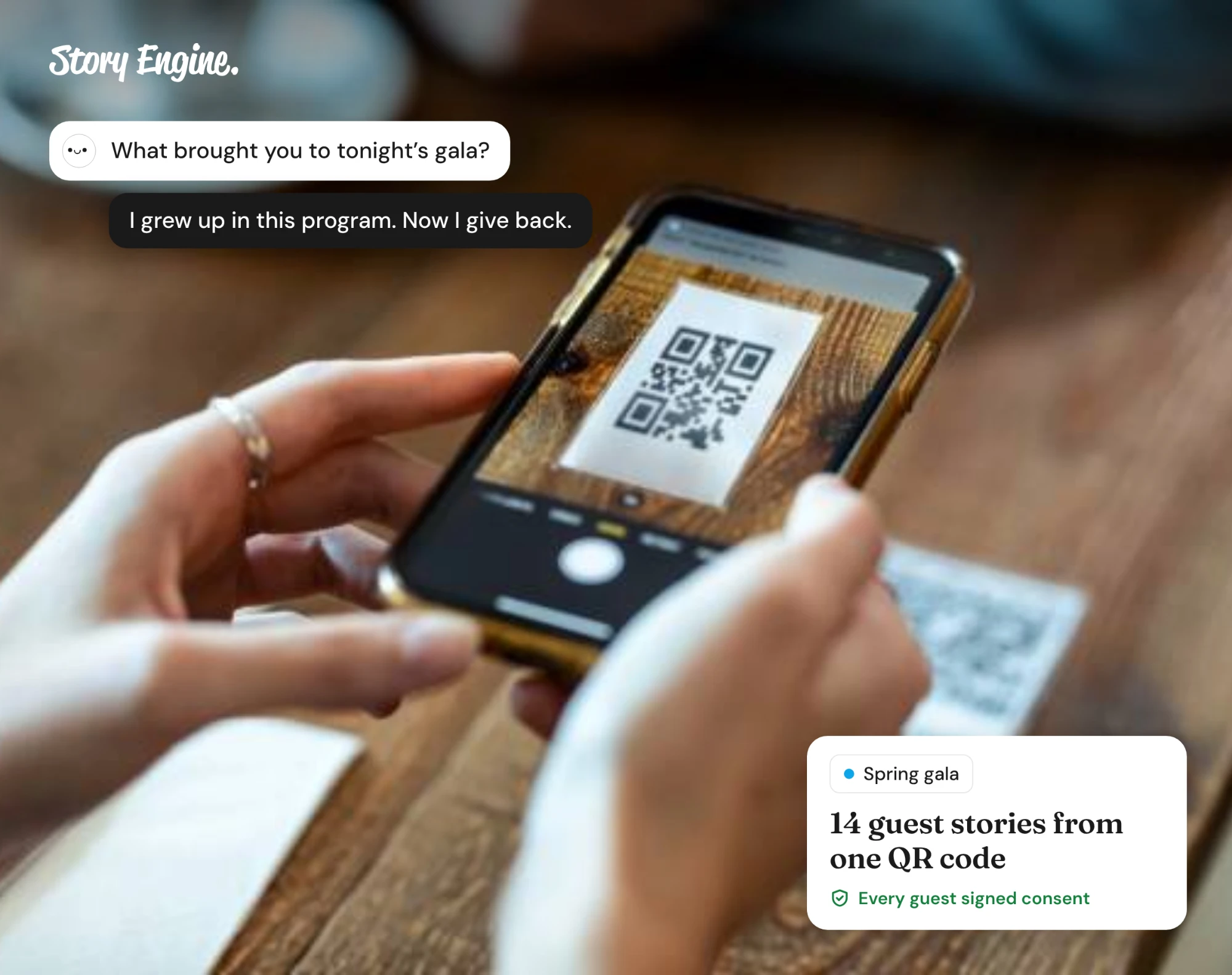
Each person who responds signs a short consent form first. They can share a few words, photos, or have a full chat with Ellie by typing, video, or phone. You can share the link or print the QR code for a physical space.
4. Review the finished interview
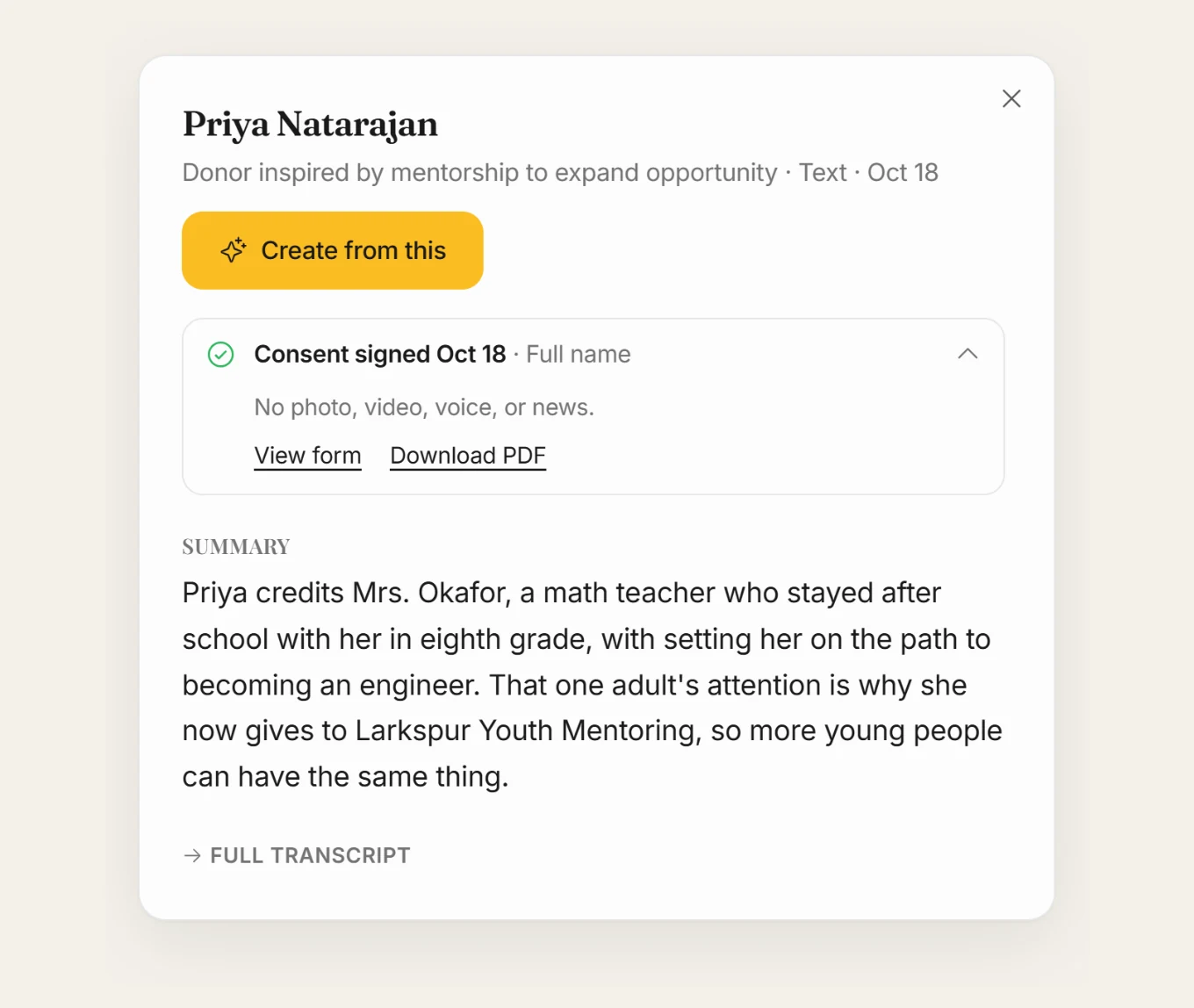
When a storyteller finishes and approves what they have shared, the interview appears in your Interviews list with a summary and a full transcript.
From the row's ⋯ menu you can resend the invite, view the consent form, or, if the storyteller asks you to remove their story, select Mark consent withdrawn. To turn the story into content, open it and press Create from this, choose a format and audience, and Ellie drafts a piece in your team's voice.
What comes out of an AI interview?
A finished AI interview typically produces a recording or transcript, a summary the team can scan quickly, and raw material ready to shape into content. If collecting video interviews, every answer automatically produces a single video formatted for social media sharing with captions (editing tools are available if you want to change anything).
From there, the team can create:
- A social media post or series
- An email to donors or supporters
- A section of an annual report or grant application
- A short video script
- So much more
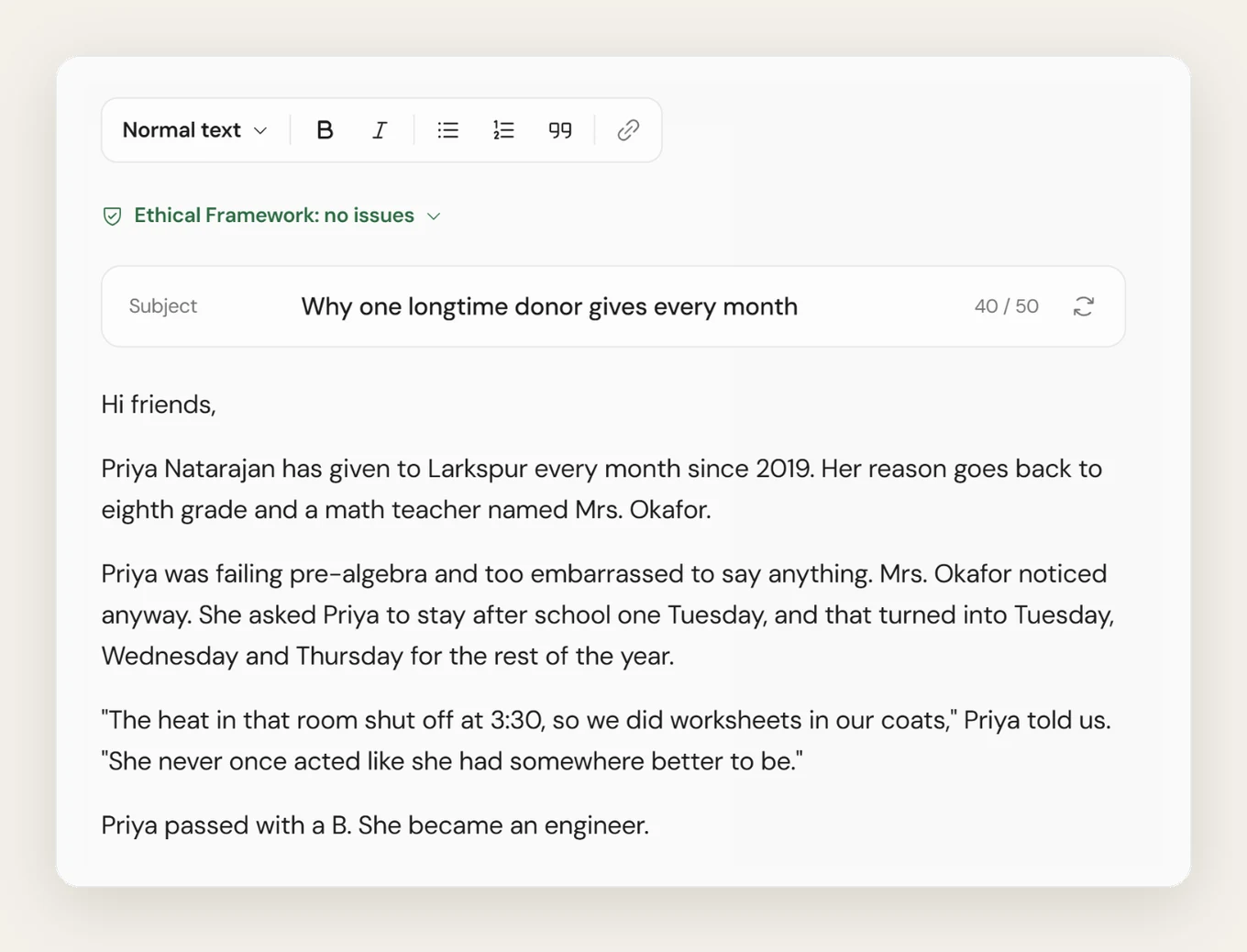
Before publishing, always check the content against the transcript. AI tools can make mistakes, and the storyteller's meaning is what matters most. Story Engine's Ethical Framework principle of transparency and accountability asks teams to be honest about the process and accountable to the people whose stories they carry.
Frequently asked questions
Does the storyteller need an account to be interviewed?
No. In Story Engine, the storyteller receives a link or scans a QR code. They sign a consent form and answer Ellie's questions, all without creating an account.
What happens if a storyteller wants their story removed?
Through Story Engine, a storyteller can withdraw consent using the link in the copy of their signed consent form. A team member can also select Mark consent withdrawn from the interview's row menu if it is verbally requested. The signed form is kept as a record.
Can I control what topics Ellie asks about?
Yes. During interview setup in Story Engine, you write what you want to hear about and review Ellie's questions before sending. You can edit, reorder, add your own questions, or regenerate the whole set. You also have a sensitive-topic switch for stories that may touch on difficult experiences so that the 988 Lifeline and the Crisis Text Line are plainly visible before and during the interview.
Start with one interview this week
Pick one person whose story you've been meaning to collect and set up a single interview. Generate or write two or three questions about a specific moment of change, choose any response format that suits them, and send the link. Collect your first story free when you sign up for Story Engine.
Sources
About the authors

A nonprofit copywriter and partner at Good Creatives.

Founded the agency Good Creatives in 2015, recognized by the American Institute of Graphic Arts.